
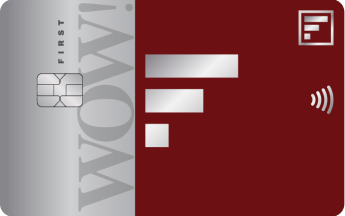
FIRST WOW! - Lifetime free. Instant Credit Card
₹ + GST
₹
₹
%

p.a
Market: 42.0% p.a.


Payment failed!
Please try again.
Something went wrong.
Please try again.

Looks like the name doesn’t match!
Your Credit Card applicant name is not matching the bank account holder’s name. Request you to change your account number and try again.
⚠️Make sure you are the sole account holder on this account.

INVALID BENEFICIARY ACCOUNT / IFSC!
Looks like you’ve tried too many times!
Your journey has been paused due to multiple unsuccessful payment attempts.
Request you to change your account number and try again.
⚠️You should be the sole account holder on this account.
Oops, looks like payment for the Fixed Deposit failed*!
But that’s okay – move ahead with your application and set-up your credit limit by creating an FD later. Just follow these simple steps:
-
1. Complete your Video-KYC (you will need your PAN card for this)
Your FIRST WOW! Black Credit Card (digital account) will be created on successful Video-KYC completion. -
2. Create your linked Fixed Deposit online, in 3 simple steps:
a)Click on the credit limit set-up link received on your registered mobile number/email.
b)Validate your details using your registered mobile number and date of birth.
c)Enter the FD amount and initiate payment to create your FD.
(FD value = Credit limit, so please choose your FD amount wisely!) -
3. On successful creation of FD, your credit limit will be set, and your physical card will be dispatched.
Oops, looks like payment for the Fixed Deposit failed*!
But that’s okay – move ahead with your application and set-up your credit limit by creating an FD later. Just follow these simple steps:
-
1. Complete your Video-KYC (you will need your PAN card for this)
Your FIRST WOW! Black Credit Card (digital account) will be created on successful Video-KYC completion. -
2. Create your linked Fixed Deposit online, in 3 simple steps:
a)Click on the credit limit set-up link received on your registered mobile number/email.
b)Validate your details using your registered mobile number and date of birth.
c)Enter the FD amount and initiate payment to create your FD.
(FD value = Credit limit, so please choose your FD amount wisely!) -
3. On successful creation of FD, your credit limit will be set, and your physical card will be dispatched.
Oops, looks like payment for the Fixed Deposit failed*!
But that’s okay – move ahead with your application and set-up your credit limit by creating an FD later. Just follow these simple steps:
-
1. Complete your Video-KYC (you will need your PAN card for this)
Your Hello Cashback Credit Card (digital account) will be created on successful Video-KYC completion. -
2. Create your linked Fixed Deposit online, in 3 simple steps:
a)Click on the credit limit set-up link received on your registered mobile number/email.
b)Validate your details using your registered mobile number and date of birth.
c)Enter the FD amount and initiate payment to create your FD.
(FD value = Credit limit, so please choose your FD amount wisely!) -
3. On successful creation of FD, your credit limit will be set, and your physical card will be dispatched.
Oops, looks like payment for the Fixed Deposit failed*!
But that’s okay – move ahead with your application and set-up your credit limit by creating an FD later. Just follow these simple steps:
-
1. Complete your Video-KYC (you will need your PAN card for this)
Your Max Credit Card (digital account) will be created on successful Video-KYC completion. -
2. Create your linked Fixed Deposit online, in 3 simple steps:
a)Click on the credit limit set-up link received on your registered mobile number/email.
b)Validate your details using your registered mobile number and date of birth.
c)Enter the FD amount and initiate payment to create your FD.
(FD value = Credit limit, so please choose your FD amount wisely!) -
3. On successful creation of FD, your credit limit will be set, and your physical card will be dispatched.
Oops, looks like payment for the Fixed Deposit failed*!
But that’s okay – move ahead with your application and set-up your credit limit by creating an FD later. Just follow these simple steps:
-
1. Complete your Video-KYC (you will need your PAN card for this)
Your FIRST WOW! Credit Card (digital account) will be created on successful Video-KYC completion. -
2. Create your linked Fixed Deposit online, in 3 simple steps:
a)Click on the credit limit set-up link received on your registered mobile number/email.
b)Validate your details using your registered mobile number and date of birth.
c)Enter the FD amount and initiate payment to create your FD.
(FD value = Credit limit, so please choose your FD amount wisely!) -
3. On successful creation of FD, your credit limit will be set, and your physical card will be dispatched.
Oops, looks like payment for the Fixed Deposit failed*!
But that’s okay – move ahead with your application and set-up your credit limit by creating an FD later. Just follow these simple steps:
-
1. Complete your Video-KYC (you will need your PAN card for this)
Your FIRST WOW! Credit Card (digital account) will be created on successful Video-KYC completion. -
2. Create your linked Fixed Deposit online, in 3 simple steps:
a)Click on the credit limit set-up link received on your registered mobile number/email.
b)Validate your details using your registered mobile number and date of birth.
c)Enter the FD amount and initiate payment to create your FD.
(FD value = Credit limit, so please choose your FD amount wisely!) -
3. On successful creation of FD, your credit limit will be set, and your physical card will be dispatched.
Oops, looks like payment for the Fixed Deposit failed*!
But that’s okay – move ahead with your application and set-up your credit limit by creating an FD later. Just follow these simple steps:
-
1. Complete your Video-KYC (you will need your PAN card for this)
Your FIRST EA₹N Credit Card (digital account) will be created on successful Video-KYC completion. -
2. Create your linked Fixed Deposit online, in 3 simple steps:
a) Click on the credit limit set-up link received on your registered mobile number/email.
b) Validate your details using your registered mobile number and date of birth.
c) Enter the FD amount and initiate payment to create your FD.
(FD value = Credit limit, so please choose your FD amount wisely!) -
3. On successful creation of FD, your credit limit will be set, and your virtual card will be ready to use.
Oops, looks like payment for the Fixed Deposit failed*!
But that’s okay – move ahead with your application and set-up your credit limit by creating an FD later. Just follow these simple steps:
-
1. Complete your Video-KYC (you will need your PAN card for this)
Your IndiGo IDFC FIRST Dual Credit Cards (digital account) will be created on successful Video-KYC completion. -
2. Create your linked Fixed Deposit online, in 3 simple steps:
a) Click on the credit limit set-up link received on your registered mobile number/email.
b) Validate your details using your registered mobile number and date of birth.
c) Enter the FD amount and initiate payment to create your FD.
(FD value = Credit limit, so please choose your FD amount wisely!) -
3. On successful creation of FD, your credit limit will be set, and your virtual card will be ready to use.
Oops, looks like payment for the Fixed Deposit failed*!
But that’s okay – move ahead with your application and set-up your credit limit by creating an FD later. Just follow these simple steps:
-
1. Complete your Video-KYC (you will need your PAN card for this)
Your FIRST WOW! Black Credit Card (digital account) will be created on successful Video-KYC completion. -
2. Create your linked Fixed Deposit online, in 3 simple steps:
a)Click on the credit limit set-up link received on your registered mobile number/email.
b)Validate your details using your registered mobile number and date of birth.
c)Enter the FD amount and initiate payment to create your FD.
(FD value = Credit limit, so please choose your FD amount wisely!) -
3. On successful creation of FD, your credit limit will be set, and your physical card will be dispatched.
Oops, looks like payment for the Fixed Deposit failed*!
But that’s okay – move ahead with your application and set-up your credit limit by creating an FD later. Just follow these simple steps:
-
1. Complete your Video-KYC (you will need your PAN card for this)
Your Hello Cashback Credit Card (digital account) will be created on successful Video-KYC completion. -
2. Create your linked Fixed Deposit online, in 3 simple steps:
a)Click on the credit limit set-up link received on your registered mobile number/email.
b)Validate your details using your registered mobile number and date of birth.
c)Enter the FD amount and initiate payment to create your FD.
(FD value = Credit limit, so please choose your FD amount wisely!) -
3. On successful creation of FD, your credit limit will be set, and your physical card will be dispatched.
Oops, looks like payment for the Fixed Deposit failed*!
But that’s okay – move ahead with your application and set-up your credit limit by creating an FD later. Just follow these simple steps:
-
1. Complete your Video-KYC (you will need your PAN card for this)
Your MAX Credit Card (digital account) will be created on successful Video-KYC completion. -
2. Create your linked Fixed Deposit online, in 3 simple steps:
a)Click on the credit limit set-up link received on your registered mobile number/email.
b)Validate your details using your registered mobile number and date of birth.
c)Enter the FD amount and initiate payment to create your FD.
(FD value = Credit limit, so please choose your FD amount wisely!) -
3. On successful creation of FD, your credit limit will be set, and your physical card will be dispatched.
Oops, looks like payment for the Fixed Deposit failed*!
But that’s okay – move ahead with your application and set-up your credit limit by creating an FD later. Just follow these simple steps:
-
1. Complete your Video-KYC (you will need your PAN card for this)
Your FIRST Hello! Cashback Credit Card (digital account) will be created on successful Video-KYC completion. -
2. Create your linked Fixed Deposit online, in 3 simple steps:
a)Click on the credit limit set-up link received on your registered mobile number/email.
b)Validate your details using your registered mobile number and date of birth.
c)Enter the FD amount and initiate payment to create your FD.
(FD value = Credit limit, so please choose your FD amount wisely!) -
3. On successful creation of FD, your credit limit will be set, and your physical card will be dispatched.
Oops, looks like payment for the Fixed Deposit failed*!
But that’s okay – move ahead with your application and set-up your credit limit by creating an FD later. Just follow these simple steps:
-
1. Complete your Video-KYC (you will need your PAN card for this)
Your FIRST EA₹N Credit Card (digital account) will be created on successful Video-KYC completion. -
2. Create your linked Fixed Deposit online, in 3 simple steps:
a) Click on the credit limit set-up link received on your registered mobile number/email.
b) Validate your details using your registered mobile number and date of birth.
c) Enter the FD amount and initiate payment to create your FD.
(FD value = Credit limit, so please choose your FD amount wisely!) -
3. On successful creation of FD, your credit limit will be set, and your virtual card will be ready to use.
Oops, looks like payment for the Fixed Deposit failed*!
But that’s okay – move ahead with your application and set-up your credit limit by creating an FD later. Just follow these simple steps:
-
1. Complete your Video-KYC (you will need your PAN card for this)
Your IndiGo IDFC FIRST Dual Credit Cards (digital account) will be created on successful Video-KYC completion. -
2. Create your linked Fixed Deposit online, in 3 simple steps:
a) Click on the credit limit set-up link received on your registered mobile number/email.
b) Validate your details using your registered mobile number and date of birth.
c) Enter the FD amount and initiate payment to create your FD.
(FD value = Credit limit, so please choose your FD amount wisely!) -
3. On successful creation of FD, your credit limit will be set, and your virtual card will be ready to use.
