







Login to Internet banking
A brand-new experience - smarter, faster, and secured


BRAVO (Auto Sweep)
Convert the idle funds in your current account into a fixed deposit with the BRAVO feature.
Know More

Zero Forex Markup Current Account
Maximise your savings and boost profitability with our Zero Forex Markup current accounts
Know More
BRAVO (Auto Sweep)
Convert the idle funds in your current account into a fixed deposit with the BRAVO feature.
Know More
You gain a dedicated partner committed to helping you reach your full potential and achieve new heights
Know More


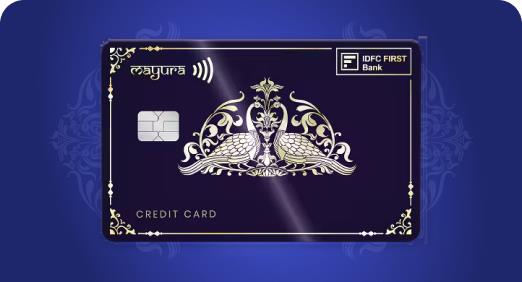
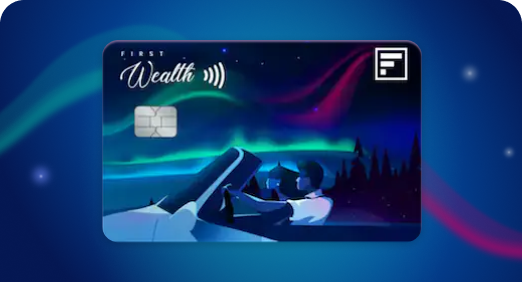
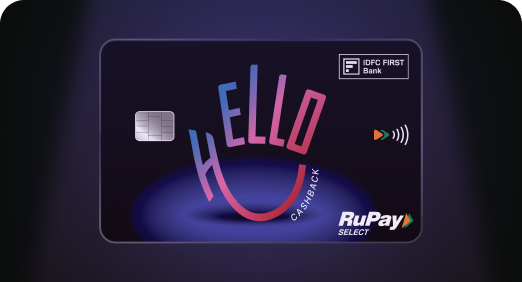

Enjoy Zero Forex on all IDFC FIRST Bank Credit Cards
Save more on all international spends
Know More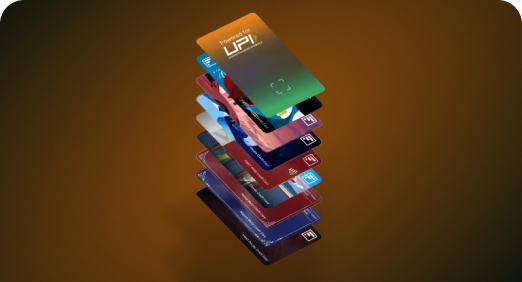
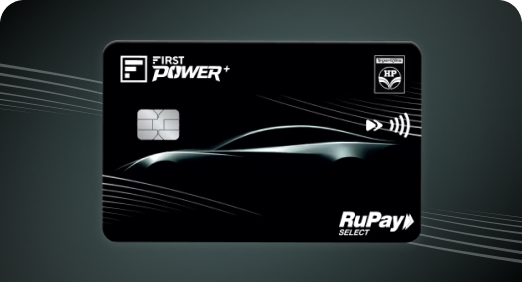
A Card that Powers your Savings & Lifestyle
IDFC FIRST Bank HPCL Credit Card








Most Searched
Earn up to 7% interest on your Savings Account
Open Account Now
Download our app
Get instant help for all your queries in one place
Unlock features, exclusively available
only on the IDFC FIRST Bank app
Trusted by 1.2+ million Indians.
4.8

4.8

Tools & Calculators
Privilege Program



Tools & Calculators

Unlock features, exclusively available
only on the IDFC FIRST Bank app
Credit Card
 Manage eligible credit card EMIs directly through the IDFC FIRST Bank mobile banking app.
Convert eligible purchases or outstanding balances into EMIs with 3 to 18-month tenure options.
Check applicable interest rates, processing charges, EMI amounts and repayment schedules before confirming the conversion.
Make EMI payments through the app, autopay or other available payment methods, and track active EMIs and outstanding dues.
Converting a large credit card purchase makes it easier to manage. But keeping your repayments on track is just as important. You want to check how much you have already paid, know the outstanding balance, and make sure instalments are paid on time. The IDFC FIRST Bank mobile banking app helps you stay on top of these tasks. Learn how it brings these essential details and actions together in one place, so you know how to manage your credit card EMI efficiently.
Yes, you can manage several aspects of credit card EMIs through the IDFC FIRST Bank mobile app. Once you log in, you can access the EMI section through your credit card dashboard and view eligible transactions for EMI conversion. The app also lets you track EMI details and make payments without visiting a branch or contacting customer care.
The interest rate applicable to an IDFC FIRST Bank credit card EMI can vary depending on the transaction, selected tenure and applicable offer. The exact rate, along with applicable processing charges, is communicated when you select the EMI conversion option. You can estimate credit card EMI using the IDFC FIRST Bank's credit card EMI calculator .
Depending on what you wish to repay, you can choose between converting an individual purchase or your outstanding credit card balance into EMI. Here's how you can pay credit card EMI in both cases:
For any purchase above ₹2,500, you can convert that transaction into EMI through the mobile banking app. It helps you spread the cost of one large expense without converting your entire credit card balance.
You can also manage your overall eligible outstanding balance through instalments through the balance conversion option. Depending on the amount and your comfort, you can choose a tenure from 3 to 18 months to spread your repayments.
Converting your credit card purchase into EMI on the IDFC FIRST Bank mobile app involves a simple four-step process.
Open the IDFC FIRST Bank mobile banking app and navigate to the 'Credit Cards' section on the home screen. On the credit card dashboard, click on the EMI tab.
In the EMI section, select 'Show more' to see all eligible transactions. Choose the purchase of over ₹2,500 that you wish to convert.
Once you select the eligible transaction, review the EMI plans available to you. Check the monthly instalment along with the applicable interest rate, processing fee, and other associated charges. Choose a suitable tenure from the range of 3 to 18 months.
Review the details of how to pay your credit card EMI once more and confirm the conversion. Your selected purchase is then set up as an EMI. The details of the repayment schedule are emailed to you so you can stay organised with your payments.
If you forgot to choose the EMI option while making the purchase, you can still convert it to EMI on the OTP page. Before completing the payment, select the available EMI option while entering the OTP to authorise the transaction.
If you have linked your IDFC FIRST Bank Credit Card for eligible transactions on your UPI app, EMI conversion is available for eligible transactions. On the UPI app, select the EMI option while making the payment and confirm your choice after reviewing the terms and charges.
Once you've converted your purchase into EMI with your credit card, the instalment becomes part of your monthly credit card bill. You can pay the same through several payment methods such as:
Under the 'Credit Cards' section on the home screen, select the option to 'Pay bill' or 'View statement ', where you can check your current outstanding amount, which includes your active EMI.
To avoid paying each month manually and reduce the risk of missing due dates, you can enable autopay under your credit card settings. Your EMI payment will be deducted automatically so long as your linked bank account has sufficient balance.
You can also directly pay through net banking, UPI, NEFT, IMPS, or debit card after choosing the option to settle your credit card outstanding balance on the payment gateway.
Approaching credit card EMIs thoughtfully can make repayments easier to plan. Here are some simple practices to help you stay organised:
Convert only purchases that genuinely make sense to spread over several months.
Select a tenure that comfortably fits within your monthly budget.
Avoid missing due dates by setting up autopay.
Regularly check your credit card statement to track your instalments.
Keep an eye on your overall credit card spending while an EMI is active.
You can request to close a credit card EMI before completing its original tenure. However, it is important to check the applicable charges and outstanding amount before proceeding.
Check the foreclosure charges
Account for pro-rata interest which may be charged from the last billing date up to the date of pre-closure, along with applicable taxes.
You need to specifically request pre-closure. Paying more than your regular EMI does not automatically close the EMI plan.
Check the final amount payable. Once the EMI is pre-closed, the outstanding principal, applicable interest and other charges are added to your credit card account.
Making informed choices and keeping track of your repayments can help you manage credit card EMIs seamlessly. As you plan your future purchases, the IDFC FIRST Bank mobile banking app can help you access your credit card information in one place. It makes it easier to understand how to manage credit card EMIs and stay on top of your dues. Download the app and stay organised on the go!
You can pay the credit card EMIs along with your monthly credit card bill through the IDFC FIRST Bank mobile banking app, by setting up an autopay, or through UPI, debit card, NEFT, or IMPS.
Yes, you can convert eligible transactions after the purchase through the IDFC FIRST Bank mobile banking app.
The transaction amount should be at least ₹2,500 to be converted into EMI.
Available tenures for EMI conversion range from 3 to 18 months, depending on the EMI facility.
Since the EMI forms a part of your credit card bill, missing the payment can lead to late payment charges and penal interest if you exceed the grace period.
You can view your active EMI plans under the credit card section through the IDFC FIRST Bank mobile banking app or your credit card statement.
The contents of this article/infographic/picture/video are meant solely for information purposes. The contents are generic in nature and for informational purposes only. It is not a substitute for specific advice in your own circumstances. The information is subject to updation, completion, revision, verification and amendment and the same may change materially. The information is not intended for distribution or use by any person in any jurisdiction where such distribution or use would be contrary to law or regulation or would subject IDFC FIRST Bank or its affiliates to any licensing or registration requirements. IDFC FIRST Bank shall not be responsible for any direct/indirect loss or liability incurred by the reader for taking any financial decisions based on the contents and information mentioned. Please consult your financial advisor before making any financial decision.
The features, benefits and offers mentioned in the article are applicable as on the day of publication of this blog and is subject to change without notice. The contents herein are also subject to other product specific terms and conditions and any third party terms and conditions, as applicable. Please refer our website www.idfcfirst.bank.in for latest updates.


Earn IndiGo BluChips | Redeem on IndiGo flights | Power of Dual cards | Zero Forex Mark Up

Lounge access, 10X Reward, ₹4000 cashback, Zero Forex Fee, Spa, Golf access

Zero Forex Fee, 10X rewards, Lounge, Spa, Golf and Movies

Buy-1-Get-1 Movie ticket offers, airport lounge access, zero forex markup, railway lounge visits







Earn IndiGo BluChips | Redeem on IndiGo flights | Power of Dual cards | Zero Forex Mark Up
Know MoreLounge access, 10X Reward, ₹4000 cashback, Zero Forex Fee, Spa, Golf access
Know MoreBuy-1-Get-1 Movie ticket offers, airport lounge access, zero forex markup, railway lounge visits
Know MoreLounge access, 10X Reward, ₹4000 cashback, Zero Forex Fee, Spa, Golf access
Know MoreFuel Card, 5% fuel savings, 2.5% Grocery & Utility Savings, 0 interest cash
Know MoreZero Annual Fee, Complimentary airport lounge access, zero forex mark-up, Buy-1-Get-1 Movie ticket offers
Know More