Login to Internet banking
A brand-new experience - smarter, faster, and secured


Introducing the First-in-industry IDFC FIRST Bank's Super Account
Request a Callback
You gain a dedicated partner committed to helping you reach your full potential and achieve new heights
Know More
BRAVO (Auto Sweep)
Convert the idle funds in your current account into a fixed deposit with the BRAVO feature.
Know More
Zero Forex Markup Current Account
Maximise your savings and boost profitability with our Zero Forex Markup current accounts
Know More
Make more than one online payment in just a few clicks with IDFC FIRST Bank Bulk Payments
Know More


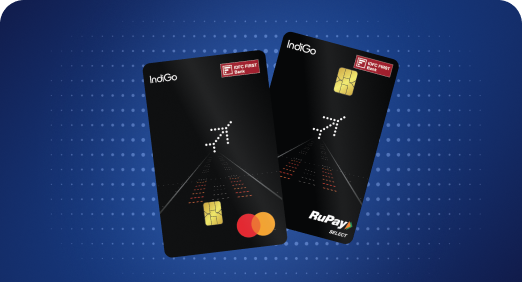


A Card that Powers your Savings & Lifestyle
IDFC FIRST Bank HPCL Credit Card







Most Searched

Earn up to 6.50% interest on your Savings Account
Open Account Now
Download our app
Get instant help for all your queries in one place
Unlock features, exclusively available
only on the IDFC FIRST Bank app
Trusted by 1.2+ million Indians.


4.8

4.8

Tools & Calculators
Privilege Program

Unlock features, exclusively available
only on the IDFC FIRST Bank app
The National Electronic Toll Collection (NETC) program, popularly known as FASTag, has become an essential part of travelling on Indian highways. FASTag enables automatic deduction of toll charges while you pass through toll plazas. However, it is natural to want to keep a track of all your FASTag transactions. This article provides a step-by-step guide to downloading your official FASTag statement.
A FASTag statement is an official document that contains a comprehensive record of all your FASTag transactions. It shows crucial details like the date and time of transactions, toll plaza name, lane number, transaction amount, remaining balance and more. Maintaining and accessing your FASTag statement regularly helps you keep an account of toll deductions as well as resolve any discrepancies if required.
Before downloading your official FASTag statement, you can check your FASTag transaction history online via the official FASTag portal or issuing bank's website. This gives a preliminary view of your recent transactions.
To check your transaction history online:
While the online FASTag history is useful, an official FASTag statement acts as valid proof of transactions. The official FASTag statement contains details like tag ID, vehicle number, username, all transaction records in a tabular format clearly specifying date, time, toll plaza, transaction amount, available balance, and more. It acts as authentic proof of your FASTag usage and transactions.
Regularly checking and downloading your FASTag statement helps identify issues early. Timely complaint resolutions ensure no excess or incorrect deductions from your tag balance.
Here are the steps to download your FASTag statement via the IDFC FIRST Bank customer portal or FIRSTforward app:
You can also use your FIRSTforward app to check your FASTag balance, as well as track its status and transactions.
Despite the automated system, some transactions on your FASTag statement may seem inaccurate. Here is what you can do in such cases:
With FASTag becoming mandatory all over India, downloading statements regularly ensures transparency and accountability in toll collection. It empowers users to effectively monitor tag usage as well as take timely actions in case of issues. Following the steps outlined makes the process simple and helps benefit from the key advantages of maintaining an official FASTag transaction record. For a seamless FASTag experience, get your IDFC FIRST Bank FASTag now and download statements effortlessly using your bank account to stay on top of all your toll transactions.
Disclaimer
The contents of this article/infographic/picture/video are meant solely for information purposes. The contents are generic in nature and for informational purposes only. It is not a substitute for specific advice in your own circumstances. The information is subject to updation, completion, revision, verification and amendment and the same may change materially. The information is not intended for distribution or use by any person in any jurisdiction where such distribution or use would be contrary to law or regulation or would subject IDFC FIRST Bank or its affiliates to any licensing or registration requirements. IDFC FIRST Bank shall not be responsible for any direct/indirect loss or liability incurred by the reader for taking any financial decisions based on the contents and information mentioned. Please consult your financial advisor before making any financial decision.
The features, benefits and offers mentioned in the article are applicable as on the day of publication of this blog and is subject to change without notice. The contents herein are also subject to other product specific terms and conditions and any third party terms and conditions, as applicable. Please refer our website www.idfcfirst.bank.in for latest updates.