









Login to Internet banking
A brand-new experience - smarter, faster, and secured



You gain a dedicated partner committed to helping you reach your full potential and achieve new heights
Know More
BRAVO (Auto Sweep)
Convert the idle funds in your current account into a fixed deposit with the BRAVO feature.
Know More
Zero Forex Markup Current Account
Maximise your savings and boost profitability with our Zero Forex Markup current accounts
Know More


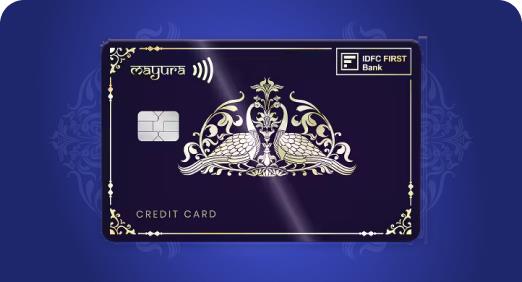
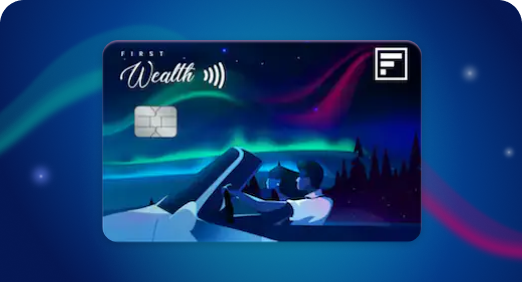
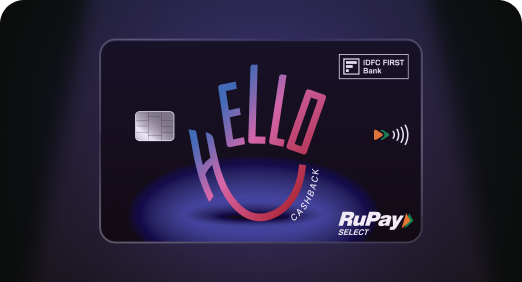

Enjoy Zero Forex on all IDFC FIRST Bank Credit Cards
Save more on all international spends
Know More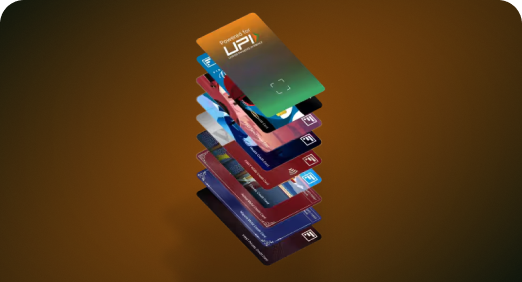
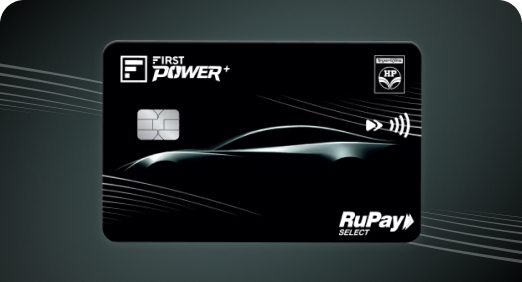
A Card that Powers your Savings & Lifestyle
IDFC FIRST Bank HPCL Credit Card







Most Searched
Earn up to 7% interest on your Savings Account
Open Account Now
Download our app
Get instant help for all your queries in one place
Unlock features, exclusively available
only on the IDFC FIRST Bank app
Trusted by 1.2+ million Indians.



Tools & Calculators
Privilege Program



Tools & Calculators

Unlock features, exclusively available
only on the IDFC FIRST Bank app

We are proud to participate in the first pilot of India’s CBDC (e₹)



Hassle-Free Payments
Send & receive money in seconds

Works Like Cash, But Better
Spend & manage money digitally

Safe & RBI-Backed
Same trust as physical cash
CBDC, or Central Bank Digital Currency, is a legal tender issued by the Reserve Bank of India. Also called the “digital rupee” or e₹, it will offer features of physical cash like trust, safety and settlement finality with atomicity (i.e. immediate settlement of transactions) in digital mode.
e₹ represents a direct claim on the central bank. It can be used to carry out transactions or store value digitally, similar to the manner in which currency notes can be used in physical form.
Read more
The conversion rate will be 1 Digital Rupee = 1 Rupee and it will have the denominations as the physical Rupee i.e. ₹2, ₹10, ₹20, ₹50, ₹100 , ₹500 and even ₹1, 50 paise and 1 paise coins are also available to perform fraction transaction.
The e₹ will be held in an e₹ wallet issued by banks like IDFC FIRST Bank.
As a bank that’s constantly at the forefront of introducing customer friendly features such as Monthly Interest Credits on Savings Account, ‘never expiring reward points’ on credit cards, lifetime free credit cards etc., we are happy to be a part of this Pilot Initiative of RBI in bringing the digital rupee revolution in India.
Read less
Any IDFC FIRST Bank customer with a savings account can use CBDC (Digital Rupee – e₹). Register using your linked mobile number and start transacting instantly.
Use e₹ through a secure digital wallet on your Android or iOS device. It works like your physical wallet, letting you store and spend Digital Rupee anytime.

Retail customers can pay using the IDFC FIRST Digital Rupee mobile app. Merchants can accept e₹ payments through the dedicated CBDC Merchant Portal.

Enjoy attractive interest rates, zero-fee banking, and exclusive discounts on dining,shopping, & more.

28 Nov 2023 | 3 mins read
28 Nov 2023 | 3 mins read
07 Nov 2023 | 3 mins read

09 Apr 2025 | 3 mins read
CBDC stands for Central Bank Digital Currency. It is a digital form of money issued and regulated by RBI, it is also referred as “Digital Rupee” or “e₹”. Unlike cryptocurrencies, CBDCs are backed by the government and have the same value as physical currency. CBDC’s aim is to make payments faster, more secure, and more efficient. CBDCs can help reduce the cost of cash handling and improve financial inclusion.
The Indian Digital Rupee, or CBDC, is a digital version of the physical currency issued by the Reserve Bank of India. It is legal and can be used for transactions just like cash, but in a secure digital format. It enables instant, real-time payments and a highly secure mode of transaction. The Digital Rupee is designed to be interoperable across platforms like UPI and aims to improve payment efficiency, reduce cash handling costs, and support financial inclusion.
For submitting any complaint to the support team user needs to send mail to digital.rupee@idfcfirstbank.com mentioning the following things for quick response from support team :
1. Registered mobile number
2. Linked account number
3. Date of Txn
4. Txn Ref number
For any disputes /query (technical and non-technical both ) on CBDC you may reach out to :
Name |
Level |
Remark |
|
Digital Rupee Support Group |
Level 1 |
First Point of Contact |
|
Buddha Srilaxmi(HGS) |
Level 1 |
||
Joydip Saha |
Level 2 |
If no response in 48 hrs |
|
Umesh Raavi |
Level 2 |
||
Pankaj Dhiria |
Level 3 |
If no response in 72 hrs |
Category |
Type |
CBDC Velocity checks |
Amount of Load/Day (credits from any savings account (IDFC/non-IDFC) |
Amount |
Rs. 50,000 |
No. of Load/Day |
Count |
20 |
Amount of Un-Load/Day |
Amount |
Rs. 1,00,000 |
(redemption back to linked IDFC SA) |
||
No. of unload/day |
Count |
20 |
Inward Transfer/Day |
Amount |
Rs. 25,000 |
(receipt of funds from any other CBDC wallet IDFC/non-IDFC) |
||
No of Inward transfer/Day |
Count |
30 |
OutWard Transfer/Day |
Amount |
Rs. 50,000 |
(wallet to wallet/UPI to any person or merchant) |
||
No. of Transfer/day |
Count |
50 |
Per Transaction |
|
Rs. 10,000 |
Amount of Outward P2P Transfer |
(Within 30 days) |
Rs. 5,00,000 |
(rolling 30 days limit) |
||
Number of Outward P2P transfer |
(Within 30 days) |
100 |
Wallet Holding Limit |
At Any given time |
Rs. 1,00,000 |
Cooling Period( 1st 24 hrs of registration) |
Amount |
Rs. 5,000 |
Yes, now you can transact starting from Rs. 0.01 to Rs. 10,000/- in each transaction. Only for CBDC to UPI transaction the amount should be Re.1 and above.
Nothing to worry. You can recover your Digital Rupee wallet by using the same mobile number in your new device.
Immediately contact Cyber Crime Toll Free Number 1930 and report the incident. Also contact bank 24x7 customer care over 1800 10888.
The e₹ (Digital Rupee) is not meant to replace cash, debit cards, or credit cards, but rather to complement them. It acts as a digital extension of physical cash, offering the same value and trust, but in a more efficient and secure format. Users can use it for everyday transactions just like cash, but through digital wallets or apps. While it reduces reliance on physical currency over time, traditional payment methods will continue to coexist.
The e₹ (Digital Rupee) is different from UPI, NEFT, RTGS, or IMPS because it is a digital currency, not just a payment method. UPI and other fund transfer systems move money between bank accounts, while e₹ is like digital cash it doesn’t need movement of money in bank accounts and can be transferred directly between users. e₹ is a token-based system, whereas UPI is account-based.
No, the e₹ (Digital Rupee) is not the same as cryptocurrency as Bitcoin. The e₹ is issued and regulated by the Reserve Bank of India, making it a legal and stable digital currency. Unlike normal cryptocurrencies which are decentralized, not backed by any government, and their value can be highly volatile. Where as e₹ value will also be equal to fiat Rupee which is regualted by RBI.
Any person or Business with an active Bank Account can use the e₹ (Digital Rupee) for digital transactions. It is designed to be accessible via mobile apps or digital wallets, making it easy to use for everyday payments like shopping, bill payments, or peer-to-peer transfers. Banks and financial institutions also use a separate version (Wholesale CBDC) for interbank settlements. The e₹ is meant to be a digital extension of cash, offering the same value and trust in a more efficient form.
You can deregister the wallet from the profile section of the app.
General trouble shooting process if you are having android device Long press the app icon, press “I” button, go to “storage an cache “ then Clear the data, then forced stop the app, then uninstall and reinstall. After installation Try for wallet recovery flow Also ensure that you have sms balance on your registered number before initiating the registration process. If you are using iOS, simply uninstall and reinstall the application.
There can be multiple reasons for wallets getting blocked. User needs to send mail to digital.rupee@idfcfirstbank.com mentioning the registered mobile number and linked account number for knowing further details.
Step-by-Step guide to Register for CBDC (e₹):
Download the App: Install the official Digital Rupee app from the Google Play Store or App Store.
Permissions: Allow SMS, location, and phone call permissions for verification.
Accept Terms: Read and accept the terms and conditions.
Start Registration: Tap on “Start Registration”.
SIM Verification: Select the SIM card linked to your bank account and verify via SMS.
Set App PIN: Authenticate using your device (PIN, fingerprint, or face unlock).
Enter Details: Provide your name and set a wallet for PIN.
Create Wallet: Once done, your wallet will be created.
Link Bank Account: Choose your account linked to your mobile number.
Enter Card Details: Provide the last 6 digits and expiry date of your debit card. Complete Setup: Your wallet is now ready to use.
An e₹ Wallet is a secure digital wallet that stores the Digital Rupee (e₹), it works like a mobile wallet but holds digital cash issued by the Reserve Bank of India. Users can send, receive, and store e₹ directly without needing a bank account. It’s designed for easy use in everyday transactions, similar to how you’d use physical cash or UPI apps.
Step-by-Step guide to Load money into e₹ wallet; Open the e₹ Wallet App of your participating bank – IDFC First Bank Tap the “Load” button on the home screen. Choose Denominations: Select the amount or specific denominations of e₹ tokens you want to load. Select Payment Source: Linked bank account or UPI apps (like PhonePe, GPay, Paytm etc) Confirm Transaction: No PIN is needed to load e₹ tokens—just confirm the source and amount. Receive Tokens Instantly: The digital rupee tokens will appear in your wallet immediately.
Open your e₹ Wallet App from your bank – IDFC First Bank. Tap on “Redeem” option displayed on the home screen. Select Amount: Choose the denomination or total amount you want to redeem. Enter Wallet PIN: Authenticate the transaction using your wallet PIN and confirm it. Receive Funds: The equivalent amount is credited to your bank account instantly.
Open your e₹ Wallet App from your bank – IDFC First Bank Tap on “Send” or “Pay” option. Enter Recipient Details: You can send another e₹ wallet using their mobile number or QR code. Enter Amount: Choose the amount or select denominations. Authenticate: Enter your wallet PIN or use biometric verification to confirm. Transaction Complete: The recipient receives e₹ instantly, just like handing over cash.
You see e₹ in different denominations in the app because it is designed to mimic physical cash in digital form. Just like you carry ₹10, ₹50, ₹100, or ₹500 notes in your wallet, the e₹ wallet holds digital tokens of specific denominations. This helps maintain the cash-like experience—making it easy to send, receive, and manage money in familiar units. It also supports offline and peer-to-peer transactions, where denomination-based tokens make settlement simpler and faster.
No, e₹ token transfers do not depend on banking hours. Since e₹ is a form of digital cash, it can be sent or received 24x7, including weekends and holidays.
Yes, e₹ transactions may occasionally display a “Pending” status, particularly due to network delays or system processing. While the Digital Rupee is designed for near-instant settlement, such pending transactions are typically resolved and settled within 24 hours. If doesn’t get resolved with this time frame, user can reach to the support team at digital.rupee@idfcfirstnbank.com.
In such scenario making payment through other channels or retrying payment can lead to double payment to the recipient hence user needs inform recipient beforehand.
Yes, SMS will be sent for every financial transaction like, Load Redeem Pay Receive
1. Wait for 48 Hours: In many cases, the transaction may be in a pending state and gets settled within 48 hours or money will be credited back to the Bank account.
2. Check Transaction History: Review your wallet and bank transaction history for confirmation and timestamps.
3. Raise a Dispute:
i. Go to the “Help” or “Support” section in your e₹ wallet app.
ii. Select the transaction and choose “Raise Dispute” or “Report Issue”.
iii. Provide details like mobile number, email id.
4. Contact Bank Support: If the issue persists, contact your bank’s customer care or send mail to digital.rupee@idfcfirstnbank.com.
No, you cannot transfer e₹ directly to a bank account. However, you can send e₹ to any UPI Number via using send to contacts option.
No, creating and using e₹ or CBDC is free of charge with no hidden chargers at all.
No. e₹ cannot be directly used via ATM cards or online banking. However, you can redeem e₹ to get amount credited back to your Bank account.
Both iOS and Android mobiles support e₹ app
You can recover the existing e₹ or Digital rupee wallet in new mobile
Yes, the e₹ (Digital Rupee) is designed to be secure and private. It uses encrypted token-based technology regulated by the Reserve Bank of India, ensuring safe transactions.
Yes, the e₹ (Digital Rupee) is designed to be secure and private. It uses encrypted token-based technology regulated by the Reserve Bank of India, ensuring safe transactions. Why I have not received invite to participate in the first pilot of Central Bank Digital Currency - (Digital Rupee - e₹) An invitation is no longer required to access or use the e₹ (Digital Rupee). Any individual with an active bank account at a participating bank can create and use a CBDC wallet instantly, without prior approval or onboarding.
Open the Digital Rupee App. Navigate to the Settings or Profile section. Select the option to De-register/Delete Wallet. Confirm your action by entering your wallet PIN. Once confirmed, your wallet will be deactivated, and any remaining balance will be redeemed automatically into your linked bank account.
Please note if you are changing mobile number in your linked Savings account that doesn’t automatically update the mobile number in Digital Rupee wallet. So, user needs deregister the previous wallet with old number, so that available Digital Rupee of the wallet gets redeemed and then user can create a new wallet using new number.
Open the e₹ Wallet App. Navigate to the “Forgot PIN” or “Reset PIN” option in the login or security section. Verify Identity: Enter the last 6 digits of your debit card linked to the wallet. Provide the expiry date of the same debit card. Set New PIN: Once verified, enter a new secure 6-digit wallet PIN. Confirm New PIN: Re-enter the new PIN to complete the reset process. Access Restored: You can now use your wallet with the newly set PIN
If a user enters the wrong Wallet PIN more than three times in a day, the e₹ (Digital Rupee) app will temporarily block further transactions for security reasons. To regain access, the customer must either reset the Wallet PIN using their registered debit card details or wait for 24 hours for the automatic unlock.
Customers can raise disputes directly through the e₹ wallet app using the in-app support or help section. Alternatively, they may contact the bank’s customer care service for further assistance or can reach to the support team at digital.rupee@idfcfirstnbank.com.
No, the e₹ (Digital Rupee) is not meant for investment purposes, and its value does not appreciate or grow over time. e₹ (Digital Rupee) will always be equal to cash.
As per current operational guidelines for the e₹ (Digital Rupee), only one wallet can be created and linked to a single mobile number at any given time.
Yes, through Aadhaar Validation, only if user is PCBDC beneficiary either of Govt DBT or Received PCBDC from any Full KYC CBDC Wallet holder.
Yes, Savings account is mandatory for the customer to use IDFC FIRST Digital Rupee Wallet Application and a Current account is mandatory for CBDC Merchants Wallet.
Currently Retail Customers has IDFC FIRST Digital Rupee Mobile Application for both android and iOS and CBDC Merchants it will be portal based access in CBDC Merchant Portal.
No, there is no compulsion to maintain any minimum balance in e₹ (Digital rupee) wallet.
No, taxes benefit from e₹ (Digital rupee) utilization; it is similar to cash but in digital format.
No, as of now e₹ (Digital rupee) is not accepted worldwide, it’s only accepted in India by all banks.
In case of any issue, contact the bank’s customer care or visit the branch or can reach out to digital rupee support team at digital.rupee@idfcfirstbank.com.
Yes, you can load Digital rupees using UPI mode.
No.
Yes. User is not permitted to use IDFC FIRST Digital Rupee Wallet post closure of linked account. Hence users are advised to redeem the available money from digital rupee or spend it then go for wallet deregistration. Post that linked account can be closed.
No.
Its special feature under CBDC. Where every Digital rupee token is programmed for specific purposes enhancing security and efficiency. Currently various State Govt and Reserve Bank of India implementing this feature in several DBT schemes.
There are currently TWO Types of PCBDC :
Sponsor Level :
This segment refers to M2P Transaction where any corporate or govt body disburse certain end use specific benefits to the beneficiary of the scheme. This type of PCBDC is called Sponsor Level PCBDC.
Example : This can be Company Perks or Govt Subsidies.
User Level :
This segment refers to P2P Transaction where any FULL KYC CBDC Wallet Holder can disburse certain enduse specific amount to the beneficiary. Beneficary can be existing CBDC holder and Non CBDC Holder too. This type of PCBDC is called User Level PCBDC.
Example : This can be “ An amount paid by parents to their kids for specific purpose of Book purchase” i.e this PCBDC will only work on book stores and nowhere else. This feature largely can be used for Gifting Purpose in Person to Person where specific end use can be ensured.


