Login to Internet banking
A brand-new experience - smarter, faster, and secured


Introducing the First-in-industry IDFC FIRST Bank's Super Account
Request a Callback
You gain a dedicated partner committed to helping you reach your full potential and achieve new heights
Know More
BRAVO (Auto Sweep)
Convert the idle funds in your current account into a fixed deposit with the BRAVO feature.
Know More
Zero Forex Markup Current Account
Maximise your savings and boost profitability with our Zero Forex Markup current accounts
Know More
Make more than one online payment in just a few clicks with IDFC FIRST Bank Bulk Payments
Know More


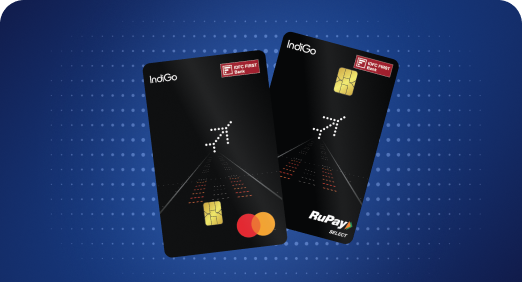


A Card that Powers your Savings & Lifestyle
IDFC FIRST Bank HPCL Credit Card

Most Searched

Earn up to 6.50% interest on your Savings Account
Open Account Now
Download our app
Get instant help for all your queries in one place
Unlock features, exclusively available
only on the IDFC FIRST Bank app
Trusted by 1.2+ million Indians.


4.8

4.8

Tools & Calculators
Privilege Program

Unlock features, exclusively available
only on the IDFC FIRST Bank app
Innovative, Intelligent, Intuitive for you !
Track spends, manage credit cards, earn rewards, check your risk profile, invest in Mutual Funds in a click, experience Google-like search, cash flow analysis with the IDFC FIRST Bank (New) App . Start this smooth experience to get best offers and products specifically curated for you.
Please Note: If you have registered billers on the app for auto-payments, they will be migrated and made available in the new app in 30 days. Don’t worry, bills you have already registered with auto pay facility will be paid on time.
Click on the link given in the mail to download the IDFC FIRST Bank(New) App from App Store/Google Play Store.
Please register on the app by filling in the required details. Post setting up MPIN, please log in to the App or Netbanking portal.
We’re working towards ensuring that all your billers registered on the old app are updated on our new IDFC FIRST app so you can enjoy a seamless experience! It may take up to 20 working days before you’re able to see them.
In case you want to make a bill payment now, you can add the biller on the new app by going to "Pay" -> "Pay bills" -> Relevant biller category -> "Pay or add new biller”. Please note that in case you had any autopay bills enabled on the old app, they will continue to be paid on time.
We’re working towards ensuring that all your billers registered on the old app are updated on our new IDFC FIRST app. It may take up to 20 working days before you’re able to see them.
Please note that while we bring your billers to you, your autopay bills will continue to be paid on time. Please sit back and relax as you don't have to register those billers again on the new app.
Request you to check FAQ section on the App by clicking on More -> Learn.
Or
You can reach out to customer service executive through More -> Headphone button on Top Right Corner of the screen.
We are sorry to hear that, but please make a note that you won't be able to add/view/modify auto pay and registered billers on the Old App.Also, you will miss on delight features available on the new App.