Login to Internet banking
A brand-new experience - smarter, faster, and secured






You gain a dedicated partner committed to helping you reach your full potential and achieve new heights
Know More

BRAVO (Auto Sweep)
Convert the idle funds in your current account into a fixed deposit with the BRAVO feature.
Know More
Zero Forex Markup Current Account
Maximise your savings and boost profitability with our Zero Forex Markup current accounts
Know More






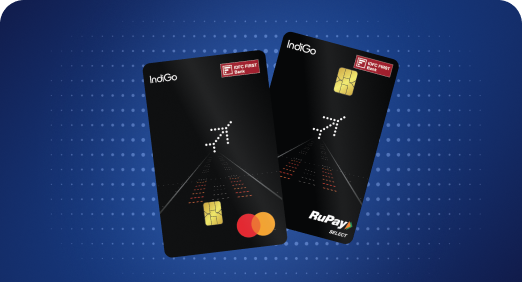


A Card that Powers your Savings & Lifestyle
IDFC FIRST Bank HPCL Credit Card









Most Searched
Earn up to 7% interest on your Savings Account
Open Account Now
Download our app
Get instant help for all your queries in one place
Unlock features, exclusively available
only on the IDFC FIRST Bank app
Trusted by 1.2+ million Indians.


4.8

4.8

Tools & Calculators
Privilege Program



Tools & Calculators

Unlock features, exclusively available
only on the IDFC FIRST Bank app
Personal Loan
 A personal loan statement of account (SOA) gives a clear snapshot of your EMI payments, outstanding balance, and overall repayment progress.
Regularly checking your SOA helps ensure payments are updated correctly and keeps your loan planning on track.
If an EMI isn’t updated, minor delays, such as processing time or technical issues, are common and usually easy to resolve.
A personal loan statement of account (SOA) gives a clear snapshot of your EMI payments, outstanding balance, and overall repayment progress.
Regularly checking your SOA helps ensure payments are updated correctly and keeps your loan planning on track.
If an EMI isn’t updated, minor delays, such as processing time or technical issues, are common and usually easy to resolve.
Want to check your personal loan EMI status? You can do so in just three steps! First, download your statement of account (SOA), review the latest EMI entries, and verify whether the payment has been updated correctly. Since the SOA provides a complete snapshot of your loan repayments, it also helps you track outstanding dues, monitor your payment history, and identify issues early.
Read to learn how the personal loan statement works, what details it includes, how to download it, and what to do if your EMI payment is not updated.
A statement of account, or SOA, is a detailed record of your personal loan. Lenders typically share this monthly to show how your repayments are progressing. They are also available on demand when you are prompted to check your personal loan statement and payment history online. The personal loan statement contains details like how much of the loan you’ve cleared so far, what’s left, and the applicable charges. It basically gives you an overview of where you stand with your personal loan repayments.
You can check your personal loan statement and payment history online and track whether your EMI payments are promptly updated in your account. It helps you ensure everything is moving smoothly and plan your EMIs better.
You can conveniently view your FIRSTmoney personal loan account statement in the IDFC FIRST Bank mobile app. You can download your personal loan statement using the following steps:
a. Step 1 – Open the IDFC FIRST Bank Mobile app.
Log in to the mobile banking app with your credentials.
b. Step 2 – Go to the Loans section.
Tap on the “Loans” icon available at the bottom of the application dashboard.
c. Step 3 – Get instant access to your FIRSTmoney loan details.
Select the FIRSTmoney card in the application, then click Statement of Accounts.
Once you’ve completed the download, you should receive the personal loan statement in PDF format in your file folder or via email. Plus, you can view all the loan-related information under the Details tab available on the IDFC FIRST Bank Mobile Banking application.
Your SOA gives you a complete view of your personal loan repayment journey. Beyond just showing whether your EMI was paid, it helps you track your loan balance, interest paid, repayment progress, and any applicable charges.
Here are the key details you can expect to find in your personal loan SOA from IDFC FIRST Bank FIRSTmoney personal loan:
1. Customer details
This section contains your basic loan-linked information, such as:
a. Name
b. Address
c. Loan A/C No
d. Customer relationship number
e. CKYC ID
f. Mobile number
2. Loan details
These details explain the terms and current status of your personal loan:
a. Loan amount
b. Rate of interest
c. Disbursal date
d. Loan status
e. Tenure (months)
f. Frequency
g. EMI period
3. EMI details and repayment details
This section helps you track your repayment progress and verify whether your EMIs have been updated correctly. It also shows how each EMI is split between principal and interest:
a. EMI amount
b. EMI due date
c. Remaining EMI(s)
d. Current principal outstanding
e. Repayment mode
f. Repayment bank name
g. Repayment A/c No.
This section shows the remaining loan amount yet to be repaid. This includes the pending principal and applicable interest, helping you clearly understand your current repayment position.
4. Charges and penalties
Any additional charges linked to your loan are reflected here, including:
a. Late payment charges
b. EMI bounce charges
c. Prepayment charges
d. Processing fees
e. Overdue amounts, if any
5. Transaction details
You can also view a detailed record of all loan-related transactions, including:
a. Date of transaction
b. Particular
c. Amount (Debit/Credit)
6. Loan summary
Most lenders also provide a consolidated loan summary that gives a snapshot of:
a. Total amount repaid
b. Total interest paid
c. Current outstanding balance
d. Part-prepayments made toward the loan
After downloading your SOA and reviewing the loan and EMI details, you may sometimes notice that your EMI amount has been debited from your bank account but has not yet been updated on your statement. In most cases, this is temporary and happens because the payment is still being processed or verified. If you find the EMI amount to be credited, but it has yet to reflect in your records, consider these reasons before you act on it.
1. Technical error
Temporary system glitches on the lender’s website or app can delay updates. The same can happen if your bank server is down. The personal loan account may take some time to sync and display the updated entry correctly.
2. Pending verification
Some payments might have gone through successfully, but the internal verification process can take time. Until this check is completed, the EMI payment will not reflect in your personal loan account.
3. A longer processing time
If the lender takes time to complete internal checks, your EMI payment may not be reflected in the personal loan statement. This is typically due to holiday cut-off times.
4. Incorrect details
If you’ve entered the wrong personal loan account number, reference ID or used a slow payment mode, the payment may take some time to reflect.
5. Failed transaction
In rare cases, the payment may appear as debited initially but fail during settlement. This is a result of failed communication between your bank’s server and the lender’s account.
Most reasons for the personal loan payment not reflecting, as you’ve noticed, are not worrisome. They are easily fixable in the following ways:
1. Verify bank details
Start by checking your bank statement to confirm that the EMI was successfully debited. If so, make a note of the transaction date, amount, and other details to validate the payment.
2. Excuse a buffer window
Allow one or two working days for the payment to reflect in your statement. Payments you make late in the day or on weekends may take a bit longer to get processed in the system.
3. Reach out to the customer care
Even if everything is correct, if your payment still hasn't appeared, contact customer support with your transaction details.
4. Check for auto-debit alerts
Review your messages and transaction history to check if your auto-debit mandates were successfully processed. Sometimes, they can fail without you realising.
5. Visit the branch as a last resort
If your issue isn’t resolved through online support, visit the branch with proof of payment and have it manually verified.
The personal loan account statement lets you easily keep track of your EMI payments. It helps you spot payment issues early. Checking this statement and keeping tabs on your payment history helps you stay in control of your repayments. Since downloading the statement is easy, you can complete it in minutes using a method that suits you. And if the personal loan payment is not updated in the SOA, you now know how to handle it calmly.
In most cases, EMI payments are reflected in the SOA within 1 to 2 working days. Payments made on weekends or bank holidays may take slightly longer.
Yes, you can check your EMI payment history online anytime via Net banking, the lender’s mobile app, or by downloading the latest statement via email.
If you are using FIRSTmoney, simply open the IDFC FIRST Bank app, tap on the loans icon, select the FIRSTmoney card, and go to the transactions tab to view all EMI payments, or choose the SOA (Statement of Account) option for detailed records.
No, as long as the payment is successfully made on time, temporary delays in updating the statement do not impact your credit score.
The contents of this article/infographic/picture/video are meant solely for information purposes. The contents are generic in nature and for informational purposes only. It is not a substitute for specific advice in your own circumstances. The information is subject to updation, completion, revision, verification and amendment and the same may change materially. The information is not intended for distribution or use by any person in any jurisdiction where such distribution or use would be contrary to law or regulation or would subject IDFC FIRST Bank or its affiliates to any licensing or registration requirements. IDFC FIRST Bank shall not be responsible for any direct/indirect loss or liability incurred by the reader for taking any financial decisions based on the contents and information mentioned. Please consult your financial advisor before making any financial decision.
The features, benefits and offers mentioned in the article are applicable as on the day of publication of this blog and is subject to change without notice. The contents herein are also subject to other product specific terms and conditions and any third party terms and conditions, as applicable. Please refer our website www.idfcfirst.bank.in for latest updates.