









Login to Internet banking
A brand-new experience - smarter, faster, and secured






You gain a dedicated partner committed to helping you reach your full potential and achieve new heights
Know More

BRAVO (Auto Sweep)
Convert the idle funds in your current account into a fixed deposit with the BRAVO feature.
Know More
Zero Forex Markup Current Account
Maximise your savings and boost profitability with our Zero Forex Markup current accounts
Know More






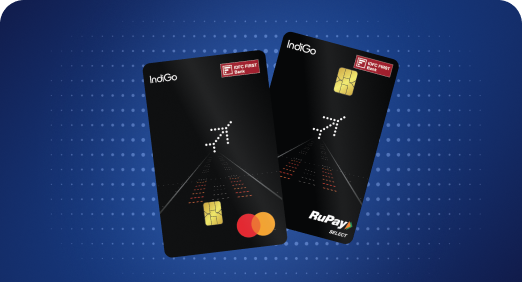


A Card that Powers your Savings & Lifestyle
IDFC FIRST Bank HPCL Credit Card









Most Searched
Earn up to 7% interest on your Savings Account
Open Account Now
Download our app
Get instant help for all your queries in one place
Unlock features, exclusively available
only on the IDFC FIRST Bank app
Trusted by 1.2+ million Indians.


4.8

4.8

Tools & Calculators
Privilege Program



Tools & Calculators

Unlock features, exclusively available
only on the IDFC FIRST Bank app

You can download your loan account statement from our Net / Mobile banking app -
You can download your loan account statement from our Net/Mobile banking app -
Yes, you can make pre-payment to the loan. By default, part pre-payments impact the tenure. For reduced EMI, you will have to place a formal request through any of our service channels, immediately after making the payment. Customers can pay through Cheque/DD at their nearest loan centre or Liability branch.
To pay through NEFT/RTGS, please follow the below steps:
Click here to make a payment.
You can pay your EMI and overdue payments, if any, through the below mentioned channels -
Customer Portal: click here
Mobile/Net-banking:
A mandate is an authorization/consent given by a customer to their bank, allowing it to debit a specified amount from their account as per the loan agreement.
This typically means the automatic deduction of EMIs from customer’s account.
Cancelling a loan mandate for closed loan involves a few steps:
a. Click the Customer Service Option (https://www.idfcfirst.bank.in/customer-care-sr/customer-service)
b. Click on Mandate Cancelation Option
c. Please verify with your Mobile Number & DOB associated with Loan Account
d. Enter the OTP received in your registered mobile number
e. Select the closed Loan Account for which associated mandate needs cancellation
f. You’ll receive on screen confirmation with a reference number for the Service Request Taken.
g. Confirmation on Service Request will be communicated via SMS in the same registered mobile number associated with Loan Account.
h. For Active Loans, please have revision done in repayment banking details for raising cancellation request.
Alternatively, you choose to contact Customer Care Hotline 1800-10-888 or any Customer Service Channels for Mandate Cancellation





