 What's special about us

 Login
Login
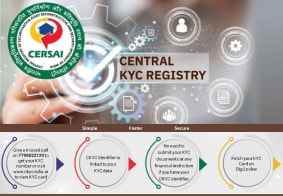
CKYC Registry



-
Customer Service Contact us Service request Locate a branch Complaints
Find all the help you need
Scan the QR, get our app, and find help on your fingertips

Help CenterSupport topics, Contact us, FAQs, Complaints and more



Help Center
Support topics, Contact us, FAQs, Complaints and more
-
As per amendment in the Income Tax Rules, PAN or Aadhaar are to be mandatorily quoted for cash deposit or withdrawal aggregating to Rupees twenty lakhs or more in a FY. Please update your PAN or Aadhaar. Kindly reach out to the Bank’s contact center on 1800 10 888 or visit the nearest IDFC FIRST Bank branch for further queries.
-
-





Contactless Credit Card FAQs


Select an area for your enquiry


Categories > Contactless Credit Card Related
Are all transactions eligible for contactless payment?
No, only transactions performed on contactless-enabled PoS machines are eligible for contactless payments.
Are there any charges levied on contactless payment on my IDFC FIRST Bank Credit Card?
No, we do not levy any charges on contactless payments.
Does IDFC FIRST Bank provide contactless credit card?
Yes, all Credit Cards issued by IDFC FIRST Bank are enabled for contactless transactions. However it needs to be activated from Card controls via the mobile app / net banking <https://my.idfcfirst.bank.in/cardControls>
How do I disable the contactless payment feature on my IDFC FIRST Bank Credit Card?
To disable contactless transactions on your IDFC FIRST Bank Credit Card, follow the below steps:
- Mobile Banking app/Internet Banking
- Click on Credit Card
- Navigate to 'Card Controls' click on 'Manage' to disable contactless transactions
- Website
Click here and enter your registered mobile number or credit card number and click on 'Get OTP'. You will be directed to the card controls page where you can disable contactless payment.
How do I enable contactless transactions on my IDFC FIRST Bank Credit Card?
To enable contactless transaction on your IDFC FIRST Bank Credit Card follow the below steps:
- Mobile Banking app/Internet Banking
- Click on Credit Card
- Navigate to 'Card Controls'
- Click on 'Manage' to enable contactless transaction.
- Website
Visit https://my.idfcfirst.bank.in/cardcontrols and enter your registered mobile number or credit card number and click on 'Get OTP'. You will be directed to the card controls page where you can enable contactless payments.
Is there a daily limit for contactless transactions on my IDFC FIRST Bank Credit Card?
As per RBI guidelines below are the daily limits for contactless transactions:
- Rs. 5000 per domestic transaction
- Rs. 50,000 per international transaction
Blogs
What you need to know about getting a personal loan with a 720 CIBIL score
Updated on 13 Nov 2025 | 5 mins read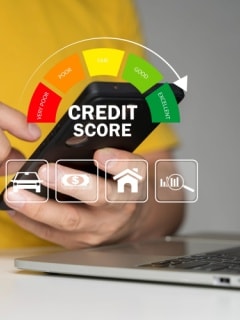
Getting a personal loan with a 715 CIBIL score – Here’s what to expect
Updated on 13 Nov 2025 | 5 mins read
Getting a personal loan with a 713 CIBIL score: What you need to know
Updated on 13 Nov 2025 | 5 mins read
Struggling with EMIs? Choose a personal loan balance transfer for relief
Updated on 06 Nov 2025 | 5 mins read
How to avoid personal loan rejection as a freelancer by taking care of these 5 requirements
Updated on 06 Nov 2025 | 5 mins read
Raise your CIBIL Score from 500 to 750 and boost your Personal Loan eligibility
Updated on 03 Nov 2025 | 5 mins read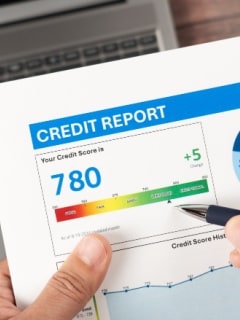
CIBIL Score 700 and above: Benefits when applying for a personal loan
Updated on 03 Nov 2025 | 5 mins read
Want a stress-free festive season? Try a personal loan for debt consolidation
Updated on Sept 3, 2025 3 min read

Make festive home upgrades stress-free with a personal loan for home renovation
Updated on Sept 3, 2025 3 min read
Personal loan maximum tenure: How to choose one that suits your budget
Updated on Sept 3, 2025 3 min read
End the year abroad! Fund it smartly with a loan for a foreign trip
Updated on Sept 3, 2025 3 min read
Make your festival celebrations bigger and better with a personal loan for shopping
Updated on Sept 3, 2025 3 min read
Enjoy financial flexibility with FIRSTmoney: Borrow and repay smart
Updated on Sept 3, 2025 3 min read
Early Personal Loan Repayment: Pros, Cons, and Hidden Costs Explained
Updated on Jul 30, 2025 3 min read
Hidden Costs of Traditional Personal Loans – Here’s What You Should Not Overlook
Updated on July 30, 2025 3 min read
Digital Lending 101: How Instant Personal Loans Work in India 2025
Updated on Aug 7, 2025 3 min read
How to Fund Your Next Solo Leh-Ladakh Trip Without Touching Your Savings
Updated on Aug 7, 2025 3 min read

Get in touch with us
Find other ways to connect with us

