Login to Internet banking
A brand-new experience - smarter, faster, and secured






You gain a dedicated partner committed to helping you reach your full potential and achieve new heights
Know More

BRAVO (Auto Sweep)
Convert the idle funds in your current account into a fixed deposit with the BRAVO feature.
Know More
Zero Forex Markup Current Account
Maximise your savings and boost profitability with our Zero Forex Markup current accounts
Know More






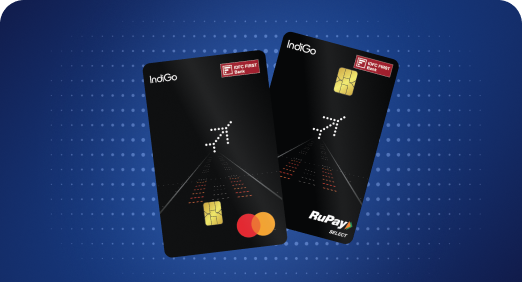


A Card that Powers your Savings & Lifestyle
IDFC FIRST Bank HPCL Credit Card









Most Searched
Earn up to 7% interest on your Savings Account
Open Account Now
Download our app
Get instant help for all your queries in one place
Unlock features, exclusively available
only on the IDFC FIRST Bank app
Trusted by 1.2+ million Indians.


4.8

4.8

Tools & Calculators
Privilege Program



Tools & Calculators

Unlock features, exclusively available
only on the IDFC FIRST Bank app

Breeze through payments with features like:
Quick Pay | Auto Pay | FasTag Recharge | DTH Recharge | Mobile Recharge
 Control your payments
 Pay bills in minutes
 Get prompt reminders
Control your payments
Pay bills in minutes
Get prompt reminders
Get prompt reminders
Control your payments
Pay bills in minutes
Get prompt reminders
Discover the ease of clearing your bills on time. Take care of all your bill payments without any hassles with IDFC FIRST Bank. Make online payments for services like electricity, gas, landline connection, etc. But that’s not all!Read More
You can even get an online recharge for your DTH and mobile phone.Read Less
Say goodbye to late bill payments with our payment channels which give you access to


These billers provide the entire bill amount which is due. For this type of biller, you can set up autopay and you can pay off the entire amount in one transaction. You will be able to set a maximum amount for each biller. If the bill amount exceeds this limit, you will be notified immediately.
But there are restrictions, such as:
1. You cannot make part payments.
2. You cannot make an online payment past the due date. However, you can make pre-payments.
3. You cannot make a payment till the bill is presented for payment.
These billers do not present a bill. You can choose to make ad-hoc payments to them or set up a schedule as to when, how often, and how much you want to pay them. We will not exceed the amounts you have specified for each biller.
Make instant bill payments with QuickPay. It is a one-time payment without prior registration.
Complete a DTH recharge, online mobile recharge,biller registration, Auto Pay, and more through our channels, instantly. Recharge billers are pre-paid billers whose services you must pay for, before you can use them. You can log into your account and recharge your DTH or mobile online with the amount you desire or choose from a variety of plans we have to offer.You can also set up Auto Pay, so you never have to worry about bill payments anymore.

Follow these easy steps:
• Login to your Net/Mobile Banking
• Go to Pay>select category>Pay or add biller>select biller>enter the details
• Once paid, the bill registration will be done automatically.
Follow these easy steps:
• Login to your Net/Mobile banking
• Go to <Pay>
• Select the biller category
• Click on to <pay/add biller>
• Enter the relevant information
• Pay the bill
• Click on <enable auto pay>
• Your auto bill payment is enabled
Follow these easy steps:
• Login to your Net/Mobile banking
• Go to <Pay>
• Go to <Recharge>
• Mobile Prepaid>Recharge new number>enter mobile number>select service provider>select state>enter amount and pay
Follow these easy steps:
• Login to your Net/Mobile banking
• Go to <Pay>
• Go to <Recharge>
• Select DTH>select service provider>Enter subscriber ID and other details>select service provider>enter amount and pay