Login to Internet banking
A brand-new experience - smarter, faster, and secured






You gain a dedicated partner committed to helping you reach your full potential and achieve new heights
Know More

BRAVO (Auto Sweep)
Convert the idle funds in your current account into a fixed deposit with the BRAVO feature.
Know More
Zero Forex Markup Current Account
Maximise your savings and boost profitability with our Zero Forex Markup current accounts
Know More






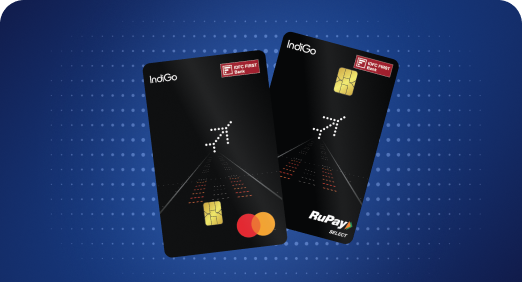


A Card that Powers your Savings & Lifestyle
IDFC FIRST Bank HPCL Credit Card









Most Searched
Earn up to 7% interest on your Savings Account
Open Account Now
Download our app
Get instant help for all your queries in one place
Unlock features, exclusively available
only on the IDFC FIRST Bank app
Trusted by 1.2+ million Indians.


4.8

4.8

Tools & Calculators
Privilege Program



Tools & Calculators

Unlock features, exclusively available
only on the IDFC FIRST Bank app
Finance
 Fake bank apps imitate real banking interfaces to steal login details, OTPs, and personal data within minutes.
Many scams begin with fake call apps or spoofed customer care numbers that push users to install malicious links.
Avoid APKs, verify app publishers, and download only from official app stores to stay protected.
Safe habits of checking permissions, enabling alerts, and using secure banking channels sharply reduce your risk of digital fraud.
Fake bank apps imitate real banking interfaces to steal login details, OTPs, and personal data within minutes.
Many scams begin with fake call apps or spoofed customer care numbers that push users to install malicious links.
Avoid APKs, verify app publishers, and download only from official app stores to stay protected.
Safe habits of checking permissions, enabling alerts, and using secure banking channels sharply reduce your risk of digital fraud.
How Fake Banking Apps Work & How to Stay Safe
Mobile banking is a popular choice among people for UPI, quick transfers, and credit card payments. However, this convenient technique has led to a quiet threat: fake banking apps that look identical to real ones.
The danger is simple but serious: a single wrong download of a fake call app pretending to be customer support gives scammers access to your OTPs and login details, draining your account within minutes.
Let us understand how these apps operate, why people fall for them, and the smartest ways to protect your money.
Malicious app creators make their apps look unbelievably real, and they use multiple tricks to push you into installing them, often when you’re stressed or in a hurry.
Once these fake bank apps enter your phone, they quietly position themselves to capture everything they need to access your accounts.
Here are a few safe practices to follow to keep your account safe:
Fake bank apps are designed to quietly drain your account before you even notice. By downloading apps only from official app stores, avoiding suspicious links, and staying alert to red flags, you can keep these threats at bay and protect your money with confidence. Also, trust reputable banks like IDFC FIRST Bank for secure banking and safeguard your money.
Always verify the app publisher on the Play Store, avoid APK files, and confirm the official link from the bank’s website.
Uninstall the app immediately, change all banking passwords, block your cards, enable transaction alerts, and report the incident to your bank and cybercrime helpline 1930.
Yes. Some apps run in the background, read notifications, or capture screens using accessibility permissions. Regularly review app permissions and delete anything unfamiliar.
Yes, indirectly. If scammers use your details to take loans or misuse your credit card, missed payments can hurt your credit score. It’s advisable to regularly check your credit report and report any unauthorised activity immediately.
Act quickly to minimise risk. Block your SIM, inform your bank, and disable mobile banking access. You can also remotely lock or wipe your device to prevent unauthorised access to your financial data.
The contents of this article/infographic/picture/video are meant solely for information purposes. The contents are generic in nature and for informational purposes only. It is not a substitute for specific advice in your own circumstances. The information is subject to updation, completion, revision, verification and amendment and the same may change materially. The information is not intended for distribution or use by any person in any jurisdiction where such distribution or use would be contrary to law or regulation or would subject IDFC FIRST Bank or its affiliates to any licensing or registration requirements. IDFC FIRST Bank shall not be responsible for any direct/indirect loss or liability incurred by the reader for taking any financial decisions based on the contents and information mentioned. Please consult your financial advisor before making any financial decision.
The features, benefits and offers mentioned in the article are applicable as on the day of publication of this blog and is subject to change without notice. The contents herein are also subject to other product specific terms and conditions and any third party terms and conditions, as applicable. Please refer our website www.idfcfirst.bank.in for latest updates.