Login to Internet banking
A brand-new experience - smarter, faster, and secured






You gain a dedicated partner committed to helping you reach your full potential and achieve new heights
Know More

BRAVO (Auto Sweep)
Convert the idle funds in your current account into a fixed deposit with the BRAVO feature.
Know More
Zero Forex Markup Current Account
Maximise your savings and boost profitability with our Zero Forex Markup current accounts
Know More






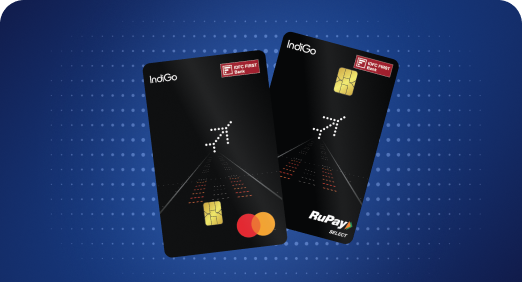


A Card that Powers your Savings & Lifestyle
IDFC FIRST Bank HPCL Credit Card









Most Searched
Earn up to 7% interest on your Savings Account
Open Account Now
Download our app
Get instant help for all your queries in one place
Unlock features, exclusively available
only on the IDFC FIRST Bank app
Trusted by 1.2+ million Indians.


4.8

4.8

Tools & Calculators
Privilege Program



Tools & Calculators

Unlock features, exclusively available
only on the IDFC FIRST Bank app
Finance
Summary: Wondering how to change or update the mobile number linked to your FASTag? Read on to know the process followed for online and offline methods, along with important tips to keep in mind to ensure a seamless experience.
FASTag has simplified the toll payment process by allowing automatic deduction of toll charges. Linked to your mobile number, it ensures that you receive real-time notifications and updates about your toll transactions. However, if you need to update or change your mobile number linked to your FASTag, it is essential to follow the correct procedures.
IDFC FIRST Bank, with its completely digital services, enables you to update your mobile number on the go without any hassles. In addition, the IDFC FIRST Bank FASTag also offers extensive benefits such as fuel purchase discounts at HPCL fuel outlets and automatic parking payments at select locations across the country.
This article outlines the steps for both online and offline methods to change your FASTag linked mobile number.
Changing the mobile number linked to your FASTag online is a convenient and straightforward process. Follow these steps:
Download and open the FIRSTforward app by IDFC FIRST Bank and log in using your credentials.
Once logged in, locate the 'Account Settings' or 'Profile' section.
In the account settings, find the option to update your mobile number. Enter your new mobile number and confirm it.
You will receive an OTP (One-Time Password) on your new mobile number. Enter this OTP on the portal to verify your new number.
After verification, your mobile number linked to the FASTag will be updated, and you will receive a confirmation message on your new number.
Enjoy complete convenience while commuting on national highways with IDFC FIRST Bank FASTag - FIRSTforward. Pay for fuel or parking directly with your FASTag without any hassles.
If you prefer to update your FASTag registered mobile number offline, you can do so by following these steps:
Go to the nearest IDFC FIRST Bank branch with your FASTag account details and identification proof.
Ask for a mobile number update request form at the customer service desk.
Fill in the form with the necessary details, including your new mobile number, and submit it along with a copy of your identification proof.
The bank representative will verify your details and process the request.
Once the update is processed, you will receive a confirmation message on your new mobile number.
Double-check the new mobile number you enter to avoid errors and ensure smooth updating.
Whether online or offline, you may need to provide identification proof, so keep it handy.
Always wait for a confirmation message on your new mobile number to ensure the update has been successful.
After changing your FASTag registered mobile number, update it in any linked services, such as bank accounts or payment wallets, to avoid discrepancies.
If you face any issues during the update process, do not hesitate to contact IDFC FIRST Bank customer support for assistance.
Changing the mobile number linked to your FASTag is a simple process, whether you choose the online or offline method. Ensuring your contact information is up to date is crucial for receiving timely notifications and maintaining the efficiency of the FASTag system. By following the outlined steps and keeping the mentioned points in mind, you can easily update your FASTag registered mobile number and continue to enjoy a seamless toll payment experience.
The contents of this article/infographic/picture/video are meant solely for information purposes. The contents are generic in nature and for informational purposes only. It is not a substitute for specific advice in your own circumstances. The information is subject to updation, completion, revision, verification and amendment and the same may change materially. The information is not intended for distribution or use by any person in any jurisdiction where such distribution or use would be contrary to law or regulation or would subject IDFC FIRST Bank or its affiliates to any licensing or registration requirements. IDFC FIRST Bank shall not be responsible for any direct/indirect loss or liability incurred by the reader for taking any financial decisions based on the contents and information mentioned. Please consult your financial advisor before making any financial decision.
The features, benefits and offers mentioned in the article are applicable as on the day of publication of this blog and is subject to change without notice. The contents herein are also subject to other product specific terms and conditions and any third party terms and conditions, as applicable. Please refer our website www.idfcfirst.bank.in for latest updates.