









Login to Internet banking
A brand-new experience - smarter, faster, and secured



BRAVO (Auto Sweep)
Convert the idle funds in your current account into a fixed deposit with the BRAVO feature.
Know More

Zero Forex Markup Current Account
Maximise your savings and boost profitability with our Zero Forex Markup current accounts
Know More
BRAVO (Auto Sweep)
Convert the idle funds in your current account into a fixed deposit with the BRAVO feature.
Know More
You gain a dedicated partner committed to helping you reach your full potential and achieve new heights
Know More



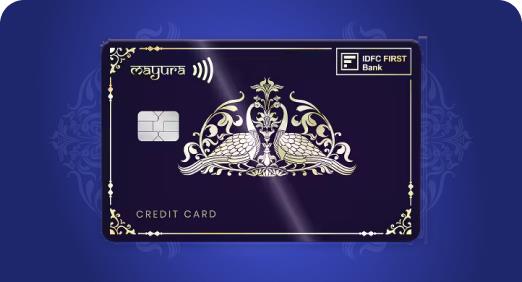

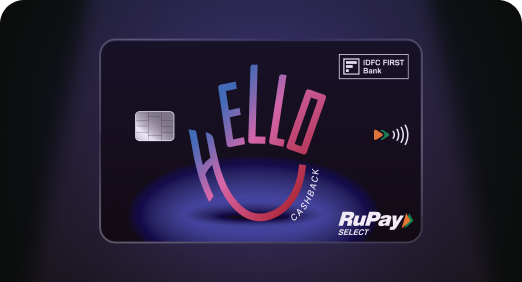

Enjoy Zero Forex on all IDFC FIRST Bank Credit Cards
Save more on all international spends
Know More
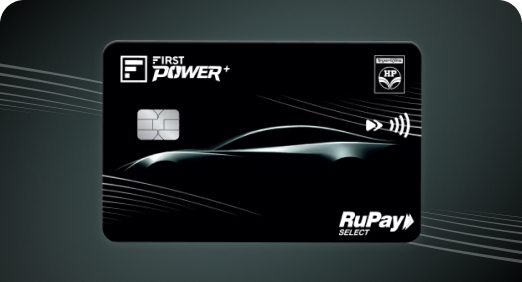
A Card that Powers your Savings & Lifestyle
IDFC FIRST Bank HPCL Credit Card








Most Searched
Earn up to 7% interest on your Savings Account
Open Account Now
Download our app
Get instant help for all your queries in one place
Unlock features, exclusively available
only on the IDFC FIRST Bank app
Trusted by 1.2+ million Indians.

4.8

4.8

Tools & Calculators
Privilege Program



Tools & Calculators

Unlock features, exclusively available
only on the IDFC FIRST Bank app
Finance
 Securing your mobile banking app before phone repair prevents accidental access and financial risks.
Logging out, disabling biometrics, and removing your SIM are quick steps that offer strong protection.
Changing passwords and reviewing transactions after repair helps keep your data clean and safe.
IDFC FIRST Bank adds an extra level of security with instant card controls and real-time alerts, giving you peace of mind.
Securing your mobile banking app before phone repair prevents accidental access and financial risks.
Logging out, disabling biometrics, and removing your SIM are quick steps that offer strong protection.
Changing passwords and reviewing transactions after repair helps keep your data clean and safe.
IDFC FIRST Bank adds an extra level of security with instant card controls and real-time alerts, giving you peace of mind.
Imagine your phone’s screen cracks, freezes, or won’t turn on. You now have no choice but to leave it at a repair shop. But here’s the part most people forget: while your device is being repaired, your mobile banking app, saved passwords, UPI access, and OTP-enabled SIM remain active, putting your data at risk.
The good news? Knowing how to secure your mobile banking app before repair takes just a few minutes and can save you significant financial stress later.
When your device is unlocked at a service centre, the security of your mobile banking apps can be compromised if you don’t prepare it beforehand. Here’s what can happen -
Before your device leaves your hands, follow these cell phone repair tips to shut every financial window:
If your phone is staying at the centre longer, take a few extra steps to maintain safe banking.
Once your phone is returned, these mobile banking safety tips help you regain full control:
IDFC FIRST Bank adds an extra layer of protection with instant card controls, secure logins, and 24/7 monitoring, so you stay protected even during device downtime.
A few checks keep funds secure
Handing your phone for repair doesn’t have to mean risking your money. A few quick steps can keep your mobile banking apps locked down and untouchable, so your device gets fixed while your finances stay perfectly safe. Plus, with the IDFC FIRST Bank Mobile Banking app your banking experience could stay extra secure.
To prevent accidental access to sensitive data during repair, log out of all UPI and mobile banking apps, disable biometrics, delete saved passwords, and remove your SIM.
Yes. Always reset your banking passwords and UPI PIN after you get the device, especially if you didn’t perform a full factory reset.
IDFC FIRST Bank offers instant card blocking and unblocking features, real-time alerts, and secure login layers, so even if your phone is out for repair, your money stays protected.
Even if your phone is locked, it’s safer to log out of banking apps and remove saved credentials before repair. Service technicians may need to unlock or test the device, which could expose sensitive financial data if precautions are not taken.
Immediately block your cards or UPI access using your bank’s mobile app or customer care. With IDFC FIRST Bank, you can instantly block/unblock cards and monitor transactions in real time, helping you act quickly and minimise potential losses.
The contents of this article/infographic/picture/video are meant solely for information purposes. The contents are generic in nature and for informational purposes only. It is not a substitute for specific advice in your own circumstances. The information is subject to updation, completion, revision, verification and amendment and the same may change materially. The information is not intended for distribution or use by any person in any jurisdiction where such distribution or use would be contrary to law or regulation or would subject IDFC FIRST Bank or its affiliates to any licensing or registration requirements. IDFC FIRST Bank shall not be responsible for any direct/indirect loss or liability incurred by the reader for taking any financial decisions based on the contents and information mentioned. Please consult your financial advisor before making any financial decision.
The features, benefits and offers mentioned in the article are applicable as on the day of publication of this blog and is subject to change without notice. The contents herein are also subject to other product specific terms and conditions and any third party terms and conditions, as applicable. Please refer our website www.idfcfirst.bank.in for latest updates.