Login to Internet banking
A brand-new experience - smarter, faster, and secured


Introducing the First-in-industry IDFC FIRST Bank's Super Account
Request a Callback
You gain a dedicated partner committed to helping you reach your full potential and achieve new heights
Know More
BRAVO (Auto Sweep)
Convert the idle funds in your current account into a fixed deposit with the BRAVO feature.
Know More
Zero Forex Markup Current Account
Maximise your savings and boost profitability with our Zero Forex Markup current accounts
Know More
Make more than one online payment in just a few clicks with IDFC FIRST Bank Bulk Payments
Know More


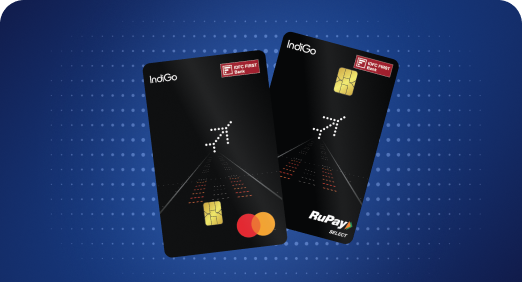


A Card that Powers your Savings & Lifestyle
IDFC FIRST Bank HPCL Credit Card

Most Searched

Earn up to 6.50% interest on your Savings Account
Open Account Now
Download our app
Get instant help for all your queries in one place
Unlock features, exclusively available
only on the IDFC FIRST Bank app
Trusted by 1.2+ million Indians.


4.8

4.8

Tools & Calculators
Privilege Program

Unlock features, exclusively available
only on the IDFC FIRST Bank app
1. Steps to set/reset PIN via mobile banking
• Download and Login to the IDFC FIRST Bank - Mobile banking app from Android/IOS Play Store
• Go to cards tab under the “Accounts” section.
• Select the Debit card you wish to activate and click on change PIN option
• Set the PIN of your choice and confirm the same. Authorize the PIN set transaction using your MPIN
• PIN is ready for use
2. Steps to set/reset PIN via net banking
• Log in to your internet banking https://my.idfcfirst.bank.in/login
• Go to cards tab under the “Have” section
• Select the Debit card you wish to activate and click on change PIN option
• Set PIN of your choice and then authorize yourself using OTP
• PIN is ready for use
3. Steps to set/reset PIN via IVR
• Call on bank’s toll free number-1800 419 4332 through your registered mobile number
• Select the option to reset PIN i.e. option (2) on IVR
• Authenticate yourself by entering Date of Birth
• Key-in the 4 digit PIN and re-enter the same for confirmation
• PIN is ready for use
In case you are calling from non-registered mobile number then follow these steps:
• Call on bank’s toll free number-1800 419 4332 from non-registered mobile number
• Caller needs to input the registered mobile number
• Select the option to reset PIN i.e. option (2) on IVR
• You need to validate this option on IVR by entering OTP sent to the registered mobile number
• Set the PIN of your choice and re-enter the same
• PIN is ready for use
Note – In case of multiple accounts/Debit cards customer will have to additionally enter last 4 digits of the account and debit card