



• Text size:

    S M L
  • Letter spacing:

WhatsApp banking

WhatsApp banking

Right Arrow

Say ‘Hi 👋’ on WhatsApp at 9555 555 555 & we’ll get back to you instantly

Track Requests

Track Requests

Right Arrow

View & track all your past and active service requests.

Raise a Request

Raise a Request

Right Arrow

Facing issues? Let us know how we can help you

Locate Us

Locate Us

Right Arrow

Locate your nearest IDFC FIRST Bank branches and ATMs

Add a compliment

Add a compliment

Right Arrow

Our customers are talking, and we think you’ll like what they’re saying.

Customer care

Customer care

Right Arrow

We will be happy to help you 24x7.

Help Center Icon

Help Center

Right Arrow

Support topics, FAQs and more

QR code for IDFC app download

Download our app

Get instant help for all your queries in one place

Explore Personal
Explore Credit Cards
WhatsApp banking

WhatsApp banking

Right Arrow

Say ‘Hi 👋’ on WhatsApp at 9555 555 555 & we’ll get back to you instantly

Track Requests

Track Requests

Right Arrow

View & track all your past and active service requests.

Raise a Request

Raise a Request

Right Arrow

Facing issues? Let us know how we can help you

Locate Us

Locate Us

Right Arrow

Locate your nearest IDFC FIRST Bank branches and ATMs

Add a compliment

Add a compliment

Right Arrow

Our customers are talking, and we think you’ll like what they’re saying.

Customer care

Customer care

Right Arrow

We will be happy to help you 24x7.

Help Center Icon

Help Center

Right Arrow

Support topics, FAQs and more

QR code for IDFC app download

Download our app

Get instant help for all your queries in one place

Download now!

Account Limit Modification

Here's how to modify the transfer limits via the Mobile Banking app

Steps

View all
step
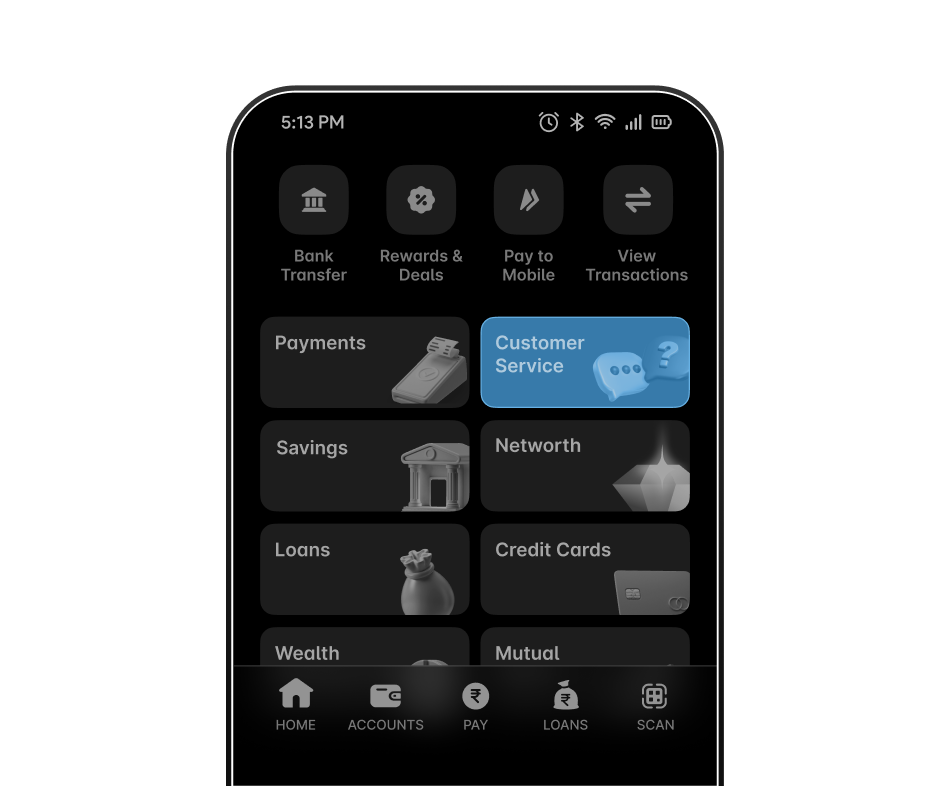
Step 1 - Log in to the Mobile Banking app and tap on the Customer Service tile.
step
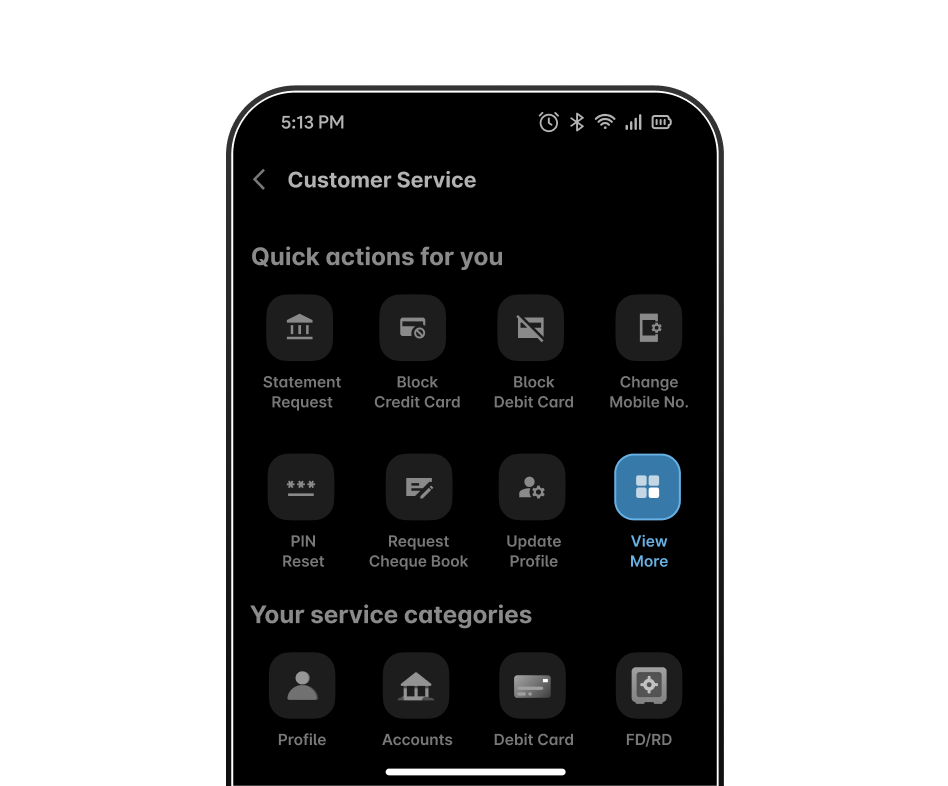
Step 2 - Under " Quick actions for you", click on view more. 
step
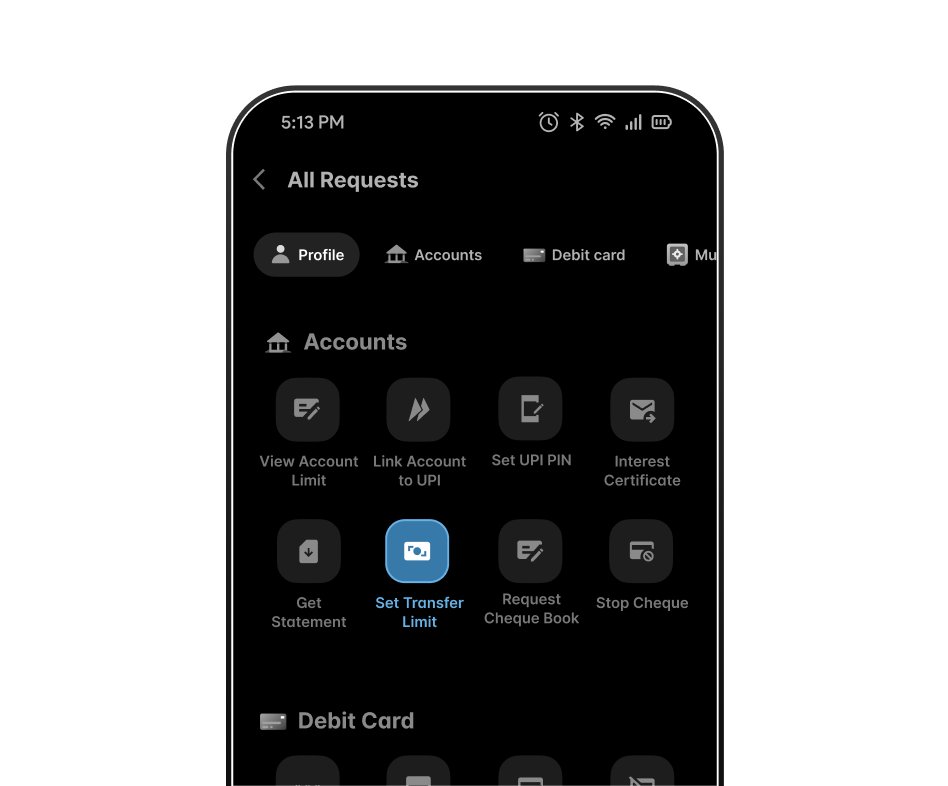
Step 3 - Under " Accounts", click on "Set Transfer Limit" to modify your daily transfer limit.
step
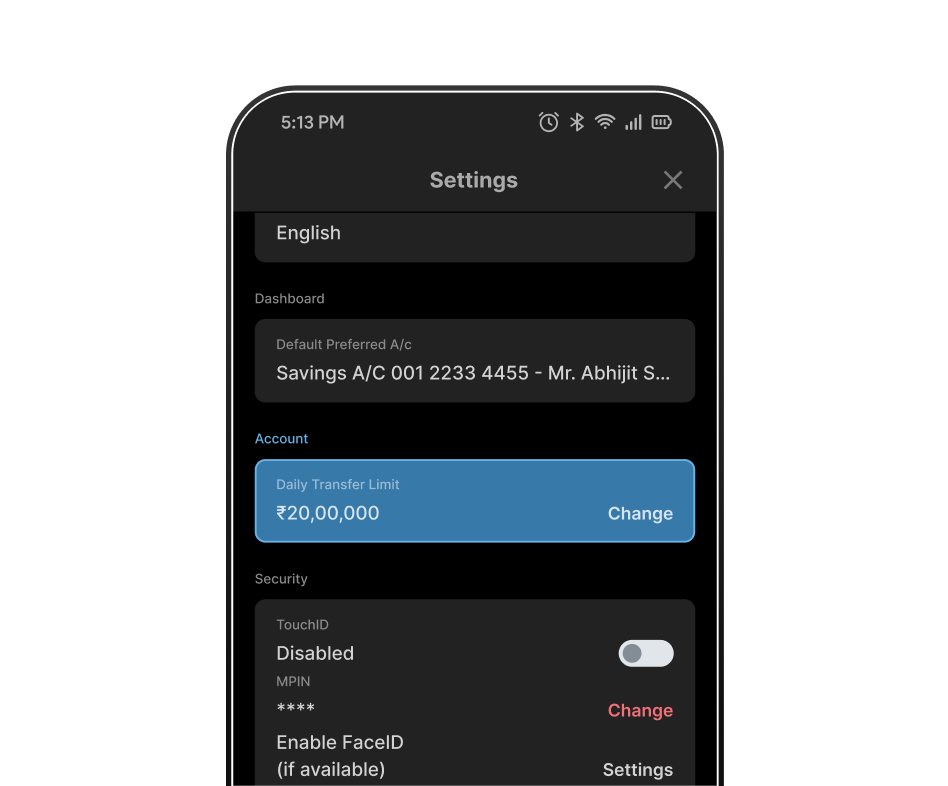
Step 4 - Under "Daily Transfer Limit" , select "Change".
step
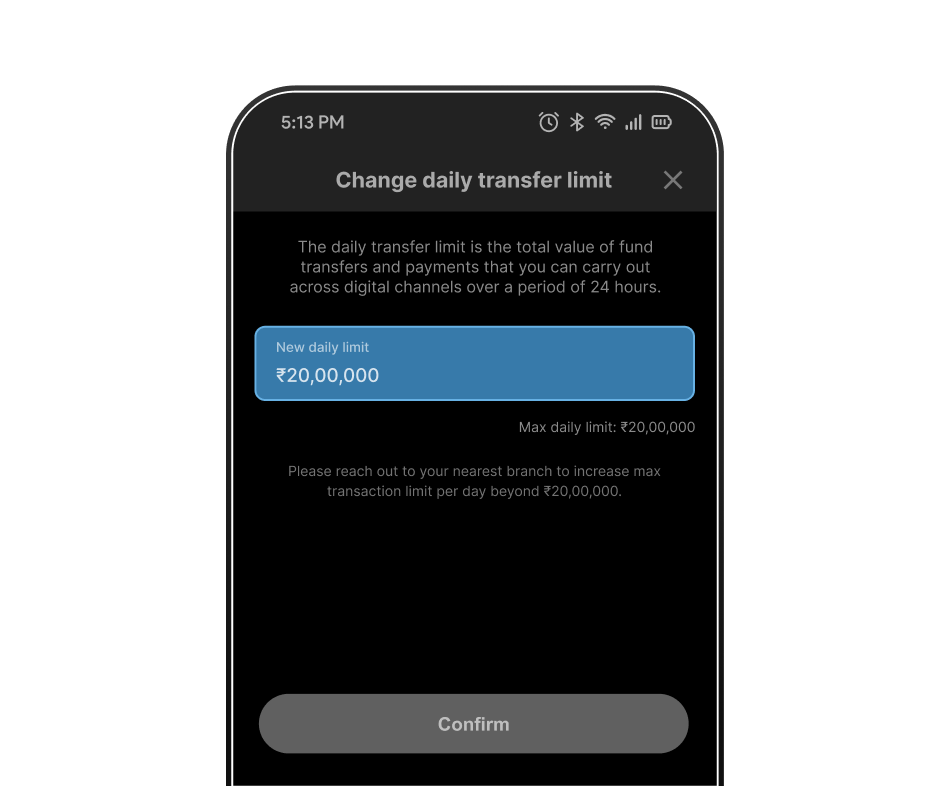
Step 5 - Set a new daily transfer limit by editing the amount and click on confirm
step
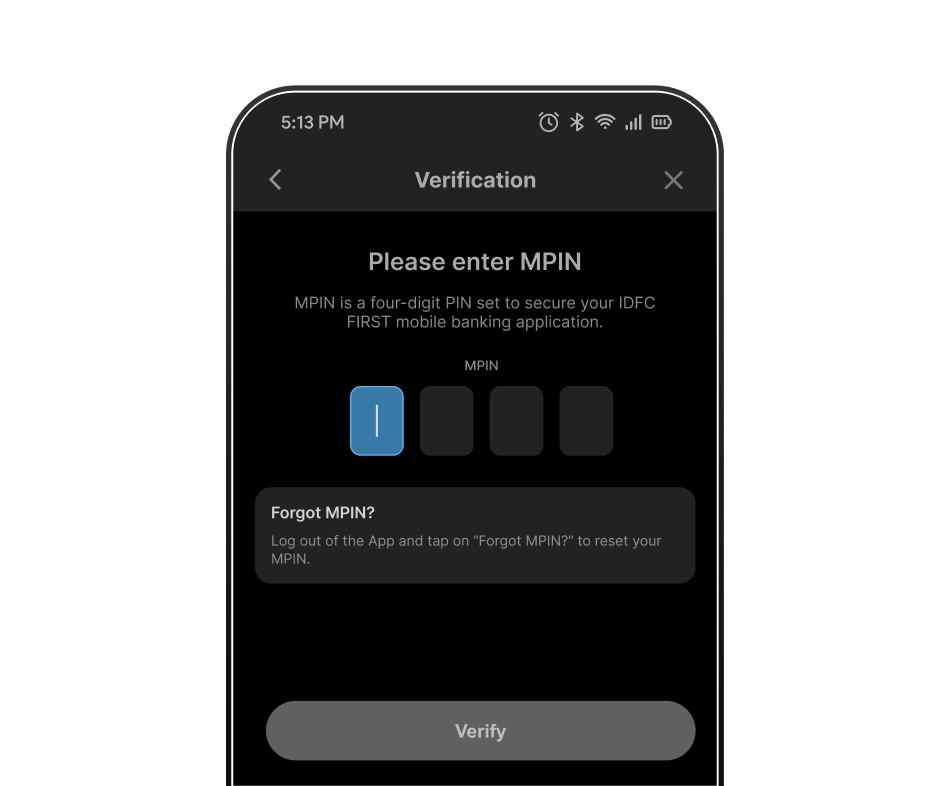
Step 6 - Enter MPIN and click on verify to complete the verification for the new daily transfer limit.

OR Raise a request if you don’t have your login credentials with you

Blogs