Login to Internet banking
A brand-new experience - smarter, faster, and secured






You gain a dedicated partner committed to helping you reach your full potential and achieve new heights
Know More

BRAVO (Auto Sweep)
Convert the idle funds in your current account into a fixed deposit with the BRAVO feature.
Know More
Zero Forex Markup Current Account
Maximise your savings and boost profitability with our Zero Forex Markup current accounts
Know More






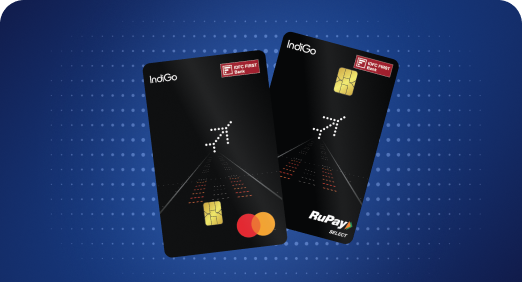


A Card that Powers your Savings & Lifestyle
IDFC FIRST Bank HPCL Credit Card









Most Searched
Earn up to 7% interest on your Savings Account
Open Account Now
Download our app
Get instant help for all your queries in one place
Unlock features, exclusively available
only on the IDFC FIRST Bank app
Trusted by 1.2+ million Indians.


4.8

4.8

Tools & Calculators
Privilege Program



Tools & Calculators

Unlock features, exclusively available
only on the IDFC FIRST Bank app

India’s first stick-tap-pay solution

Make contactless payments with just a tap

Get Personal Accident Insurance cover of ₹2 Lakhs
Make contactless payments with just a tap
Get Personal Accident Insurance cover of ₹2 Lakhs
Avail Accidental Death or Permanent Disability Insurance cover due to accident with your FIRSTAP sticker
For more details on Insurance coverage click here
To check out offers available on your FIRSTAP sticker and to get discounts on your favourite brands, click here.
Enjoy special concierge service on your FIRSTAP Sticker. Available 24/7, this service can be availed by calling our toll-free number – 1800-26-RUPAY (78729). Find out more about our services below:
Tokenisation
You can set your transaction limit for Purchases and Online by logging into your NetBanking or through Mobile application. Refer below table for limits:
| Daily Purchases | Contactless (Tap & Pay) |
| Rs. 1,00,000 | Rs. 5,000 |
It is a faster mode of payment that can be done with just TAP & PAY. Customer needs to TAP the card on the POS machine in order to PAY, instead of a swipe or dip.
Customer needs to look for  this symbol on their Debit Card. This symbol represents contactless.
Contactless flag can be enabled through IB/MB under Card section > Manage limit > Enable contactless flag and set the limit
Note: As per RBI card security guidelines, contactless option goes in disabled mode. Customer needs to activate the same.
Customer can use their RuPay Debit Card at a POS machine where a contactless symbol is displayed or contactless transactions are accepted.
Customer need to look for contactless symbol at POS terminal in merchant outlet and ask the merchant to pay using Tap & Pay.
Fast forward icon along with contactless symbol present on Sticker represents that Sticker accepts contactless POS transactions.
Follow below steps to activate your FIRSTAP Sticker from Mobile Banking/Internet Banking
Step 1
Log in into Internet Banking or Mobile Banking
Step 2
Click on Accounts->Select Cards -> Click on FIRSTAP
Step 3
Select “Activate Card” to set PIN
Follow below steps to manage transaction flag, set limit and block the FIRSTAP Sticker
Step 1
Log in into Internet Banking or Mobile Banking
Step 2
Click on Accounts->Select Cards -> Click on FIRSTAP
Step 3
Select Manage
a. To enable/disable Contactless or Online transaction flag
b. To set limit
Step 4
Option available to Temporary Block or Permanent Block

Look for Contactless symbol or for the purpose of payment at POS terminal (merchant outlet)


Tap the Sticker and hold it for few seconds till the device prompts you to remove the FIRSTAP Sticker at the POS terminal.

TAP FIRSTAP on contactless POS device to perform transactions

For Online purchase, enter the card number, CVV & expiry date generated against the wearable issued. These can also be viewed on the Internet Banking/Mobile Banking page
Your FIRSTAP Sticker is an add on-Debit Card linked to your Savings Account. Issuance charge for FIRSTAP Sticker is ₹99 +GST
The following charges are applicable based on the account variant AMB.
| Average Monthly Balance Requirement | FIRSTAP Sticker Annual Fee (w.e.f. 1st Jan' 26) |
| ₹25,000 | ₹300 |
| ₹10,000 | ₹200 |
Average Monthly Balance requirement is Nil for Minor Under Guardian and Diamond Private Savings Account.
Taxes at prevailing rates as per Government Rules shall be applicable over and above the mentioned charges.
FIRSTAP Sticker based Debit Card is a contactless form factor which support transactions such as POS/ECOM (online) at any merchant outlet. It comes as an accessory that customer can conveniently carry/wear to perform contactless transactions at different merchant stores.
Customer can affix the FIRSTAP Sticker on any suitable device such as back of mobile, ID Card, tablet & etc. and carry it conveniently to use it for the purpose of payments on contactless POS (Tap & Pay) merchants and for online payments.
Follow below process in order to activate your FIRSTAP Sticker:
Follow below steps to setup transaction limits:
Type of transactions |
Details |
Contactless POS transactions |
At POS merchants, with just Tap & Pay transaction can be done
Note: Check if the POS terminal accepts contactless transactions |
Online transactions |
Secure your card details on merchant website or application, or enter your card details for the purpose of transactions |
In case of loss or any fraudulent transaction observed either block the sticker or call on customer care for any assistance:
Or please call IDFC FIRST Bank customer care on 1800 10 888
Yes, for online payments card can be secured
Please call on customer care no. 180010888
Customer need to look for Contactless symbol at POS terminal in merchant outlet or ask the merchant if POS terminal accepts Tap & Pay.
Customer needs to look for this symbol Fast forward icon along with contactless symbol present on Sticker represents that Sticker accepts Contactless POS transactions
You can set your transaction limit for Purchases and Online by logging into your net banking or through mobile application. Refer below table for limits:
Contactless (Tap & Pay) |
Rs. 5,000 |
It is a faster mode of payment that can be done with just TAP & PAY. Customer needs to TAP the card on the POS machine in order to PAY, instead of a swipe or dip.
Customer needs to look for this symbol on their Debit Card. This symbol represents Contactless.
Contactless flag can be enabled through IB/MB under Card section > Manage limit > Enable contactless flag and set the limit
Note: As per RBI card security guidelines, Contactless option goes in disabled mode. Customer needs to activate the same.
Customer can available insurance on any one Debit Card.
FIRSTAP Sticker issued is linked to customers primary account, same can be checked under goto Accountsà Goto Cards à Select FIRSTAP à Scroll up to view Linked account