Login to Internet banking
A brand-new experience - smarter, faster, and secured






You gain a dedicated partner committed to helping you reach your full potential and achieve new heights
Know More

BRAVO (Auto Sweep)
Convert the idle funds in your current account into a fixed deposit with the BRAVO feature.
Know More
Zero Forex Markup Current Account
Maximise your savings and boost profitability with our Zero Forex Markup current accounts
Know More






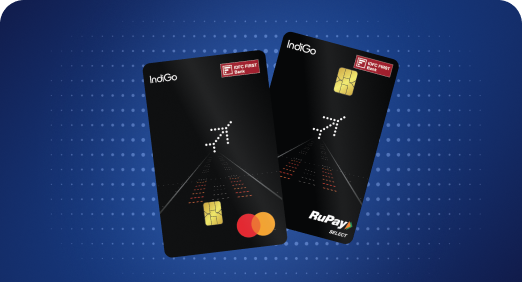


A Card that Powers your Savings & Lifestyle
IDFC FIRST Bank HPCL Credit Card









Most Searched
Earn up to 7% interest on your Savings Account
Open Account Now
Download our app
Get instant help for all your queries in one place
Unlock features, exclusively available
only on the IDFC FIRST Bank app
Trusted by 1.2+ million Indians.


4.8

4.8

Tools & Calculators
Privilege Program



Tools & Calculators

Unlock features, exclusively available
only on the IDFC FIRST Bank app

Introducing IDFC FIRST Bank WhatsApp Service


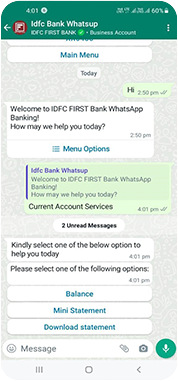

Through WhatsApp Service , you can interact with us just like you would with any of our representative.
For instance, you could say - I want to know my balance. And that’s it! You will receive your balance real-time.
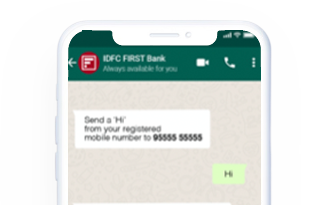
To receive important information and transactional messages, opt-in for WhatsApp Service by sending “Hi” on WhatsApp or calling us on 9555555555 from your registered mobile number, and we will take care of the rest!
You can instantly start using IDFC FIRST WhatsApp service just by sending 'Hi' on 9555555555 from your Registered Mobile Number. In case, you give a missed call on this number, we will register your number for Promotional offers, as deemed relevant.
Send Hi on WhatsApp Number from your Registered Mobile Number and choose 'Loan and EMI details' from the listed menu which will display the required Loan details.
We recommend you to please check the 'Statement of Account' and in case any charges are pending, please click on 'Loan Related Services' and make the payment using 'Payment Options'
Send Hi on 9555555555 from your Registered Mobile Number and choose EBC Card Details from the listed Menu. Here you will find its unutilized limit amount and updated status of the card.
You can anytime stop using the WhatsApp service, as per your convenience. If you want to avail the service again, you can send 'Hi' from your Registered Mobile Number and start enjoying our WhatsApp Service.
Yes, you can anytime check the minor’s bank account details, if your Registered Phone Number is mapped to the Minor's Account.
As a confirmation, you will receive an SMS on your Registered Mobile Number once the request is processed or you may visit our Mobile App/Website to view the cheque status.
No, IDFC FIRST Bank does not levy any additional charges for using WhatsApp service. You may refer to schedule of charges on the website.
WhatsApp services are end to end encrypted and secure. However, please refrain from sharing any confidential information on WhatsApp