









Login to Internet banking
A brand-new experience - smarter, faster, and secured




BRAVO (Auto Sweep)
Convert the idle funds in your current account into a fixed deposit with the BRAVO feature.
Know More

Zero Forex Markup Current Account
Maximise your savings and boost profitability with our Zero Forex Markup current accounts
Know More
BRAVO (Auto Sweep)
Convert the idle funds in your current account into a fixed deposit with the BRAVO feature.
Know More

You gain a dedicated partner committed to helping you reach your full potential and achieve new heights
Know More





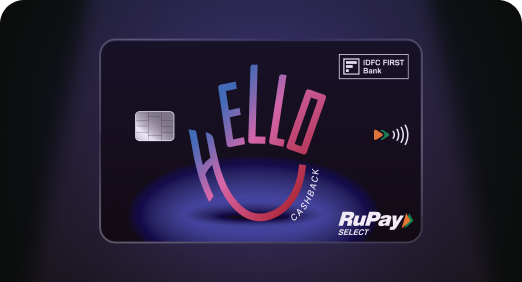

Enjoy Zero Forex on all IDFC FIRST Bank Credit Cards
Save more on all international spends
Know More

A Card that Powers your Savings & Lifestyle
IDFC FIRST Bank HPCL Credit Card









Most Searched
Earn up to 7% interest on your Savings Account
Open Account Now
Download our app
Get instant help for all your queries in one place
Unlock features, exclusively available
only on the IDFC FIRST Bank app
Trusted by 1.2+ million Indians.


4.8

4.8

Tools & Calculators
Privilege Program



Tools & Calculators

Unlock features, exclusively available
only on the IDFC FIRST Bank app
Finance
 Scam APK apps disguise themselves as courier updates or KYC alerts, tricking users into installing malware outside official stores.
These scams directly threaten your credit card security by capturing card details, reading OTPs, and running overlay attacks.
Spotting red flags like unknown publishers, excessive app permissions, or pressure to enable “Install from unknown sources” can stop fraud early.
Using official banking apps, enabling transaction alerts, and avoiding sharing OTP/CVV to strengthen protection against any APK fraud.
Scam APK apps disguise themselves as courier updates or KYC alerts, tricking users into installing malware outside official stores.
These scams directly threaten your credit card security by capturing card details, reading OTPs, and running overlay attacks.
Spotting red flags like unknown publishers, excessive app permissions, or pressure to enable “Install from unknown sources” can stop fraud early.
Using official banking apps, enabling transaction alerts, and avoiding sharing OTP/CVV to strengthen protection against any APK fraud.
Scam APK files are among the fastest-growing threats to credit card security. They often look like harmless updates, but once installed, these malicious apps can quietly steal your data.
Because many people don’t fully understand what an APK file is, scammers use this gap to their advantage. Let’s break down how these attacks work and how you can stay ahead of APK fraud.
The full form of APK is Android Package Kit. When shared outside the Play Store, it’s a common doorway for APK hacking. Scam APK files are often disguised as customer support tools, parcel updates, or “urgent” bank notices. Users download them because of fear-based triggers like “card suspended” or “account will be blocked.”
These files bypass normal banking security checks and ask you to enable “Install from unknown sources,” a major red flag.
Here’s how APK fraud steals personal information:
Some common red flags that you should watch out for:
Some preventive measures for your credit card security are:
Scam APK attacks succeed because they exploit urgency and weak device settings, and not because users are careless. Staying alert, controlling your app permissions, and avoiding unofficial app downloads are among the strongest ways to safeguard your credit card information and prevent APK fraud
APKs are only safe when downloaded from trusted, official sources. Files shared via WhatsApp, SMS, or unknown links can contain malware that steals card details and compromises your device.
Scam APKs capture card details through fake screens, read OTPs, and misuse accessibility permissions to monitor activity. Once installed, they can enable card-not-present fraud within minutes.
Uninstall the malicious file immediately, block your credit card in your bank app, change your passwords, enable transaction alerts, and report the fraud to your bank and the cybercrime helpline at 1930.
The contents of this article/infographic/picture/video are meant solely for information purposes. The contents are generic in nature and for informational purposes only. It is not a substitute for specific advice in your own circumstances. The information is subject to updation, completion, revision, verification and amendment and the same may change materially. The information is not intended for distribution or use by any person in any jurisdiction where such distribution or use would be contrary to law or regulation or would subject IDFC FIRST Bank or its affiliates to any licensing or registration requirements. IDFC FIRST Bank shall not be responsible for any direct/indirect loss or liability incurred by the reader for taking any financial decisions based on the contents and information mentioned. Please consult your financial advisor before making any financial decision.
The features, benefits and offers mentioned in the article are applicable as on the day of publication of this blog and is subject to change without notice. The contents herein are also subject to other product specific terms and conditions and any third party terms and conditions, as applicable. Please refer our website www.idfcfirst.bank.in for latest updates.