









Login to Internet banking
A brand-new experience - smarter, faster, and secured




You gain a dedicated partner committed to helping you reach your full potential and achieve new heights
Know More

BRAVO (Auto Sweep)
Convert the idle funds in your current account into a fixed deposit with the BRAVO feature.
Know More
Zero Forex Markup Current Account
Maximise your savings and boost profitability with our Zero Forex Markup current accounts
Know More



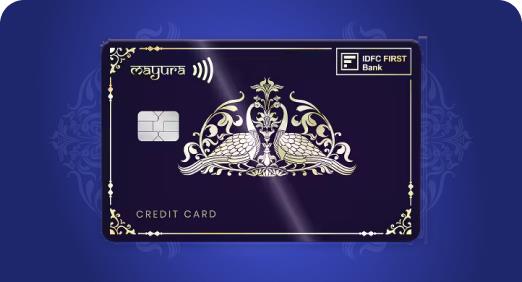

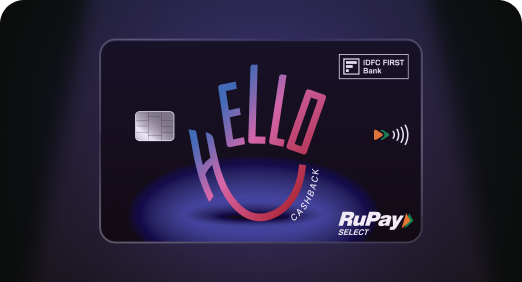
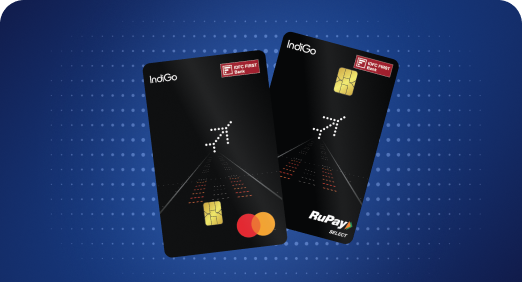
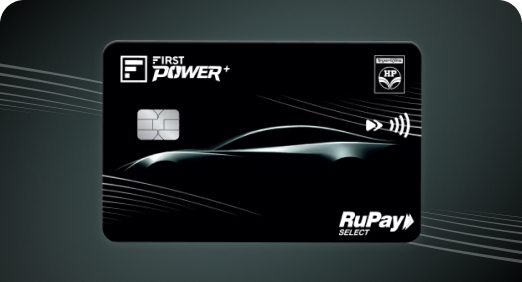
A Card that Powers your Savings & Lifestyle
IDFC FIRST Bank HPCL Credit Card









Most Searched
Earn up to 7% interest on your Savings Account
Open Account Now
Download our app
Get instant help for all your queries in one place
Unlock features, exclusively available
only on the IDFC FIRST Bank app
Trusted by 1.2+ million Indians.


4.8

4.8

Tools & Calculators
Privilege Program



Tools & Calculators

Unlock features, exclusively available
only on the IDFC FIRST Bank app
Credit Card
 Linking a Credit Card to UPI combines the convenience of instant payments with the flexibility of credit, allowing you to manage both small and large expenses efficiently.
You can make seamless payments by scanning QR codes or using UPI IDs, while continuing to earn rewards and enjoy interest-free credit periods.
The process of linking RuPay Credit Cards to UPI apps is simple, secure, and supported across platforms like BHIM, Google Pay, and Paytm.
Enhanced security features, such as UPI PIN authentication, ensure safe transactions while improving the overall digital payment experience.
Linking a Credit Card to UPI combines the convenience of instant payments with the flexibility of credit, allowing you to manage both small and large expenses efficiently.
You can make seamless payments by scanning QR codes or using UPI IDs, while continuing to earn rewards and enjoy interest-free credit periods.
The process of linking RuPay Credit Cards to UPI apps is simple, secure, and supported across platforms like BHIM, Google Pay, and Paytm.
Enhanced security features, such as UPI PIN authentication, ensure safe transactions while improving the overall digital payment experience.
The RBI recently announced that it would allow customers to link their Credit Cards to Unified Payments Interface (UPI) platforms. With this update, you can link your Credit Card to UPI and make payments to over 60 million merchants accepting UPI payments.
This new rule is a major step towards boosting the adoption of digital payments in the country. Being able to access credit using UPI means you can pay for anything from a bag of chips to a swanky audio system quickly and conveniently. Say goodbye to entering your Credit Card details and OTPs. Just scan the merchant’s QR code or enter your UPI ID, and you’re good to go.
Let's dive deeper into this latest update and learn how to link a Credit Card to UPI.
In India, UPI payments have become a popular payment method. However, UPI payments are deducted instantly from your bank account, while Credit Cards allow you to pay over time. As Credit Cards allow you to spend on credit, your purchasing power increases. Combined with rewards, Credit Cards make for a more favourable payment method for large purchases.
Linking your Credit Card to UPI gives you the best of both worlds. You can now enjoy the convenience of UPI and the financial benefits of Credit Cards, such as rewards and interest-free credit for up to 45 days.
At present, you can only link RuPay Credit Cards to your UPI platforms. So, if you own a RuPay Credit Card, such as the IDFC FIRST Power or FIRST Power+ Credit Cards, here's how to link it to your UPI account.
Linking your Credit Card to UPI on BHIM is easy:
Step 1 - Open the BHIM UPI app
Step 2 - Click on your account at the top left
Step 3 - Select the + to add an account
Step 4 - Select Credit Card
Step 5 - Choose the Credit Card issuing bank
Step 6 - Select your RuPay Credit Card
Step 7 - Confirm the card details
Here's how to link your Credit Card to UPI on Google Pay -
Step 1 - Open the Google Pay app
Step 2 - Click on your account details at the top right
Step 3 - Select 'Set up payment methods'
Step 4 - Select 'Add RuPay Credit Card on UPI'
Step 5 - Choose the Credit Card issuing bank
Step 6 - Select your Rupay Credit Card
Step 7 - Confirm the card details
Here's how to link your Credit Card to UPI on PayTM
Step 1 - Open the PayTM app
Step 2 - Click on your account details at the top left
Step 3 - Select 'UPI & Payment Settings'
Step 4 - Select 'Link RuPay Credit Card on Paytm UPI'
Step 5 - Choose the Credit Card issuing bank
Step 6 - Select your Rupay Credit Card
Step 7 - Confirm the card details
Here's how you make Credit Card payments using your UPI platform after linking it to them.
Once you have linked your Credit Card to one of your UPI apps, you can start paying through the app as you normally would. You can choose from scanning a QR code, entering a mobile number, or paying to another merchant’s UPI ID.
Remember to set up a UPI PIN before using your Credit Card on UPI. This ensures safety and ease of use. Here's how to set it up:
Step 1 - Click to view accounts
Step 2 - Select from the available options
Step 3 - Set UPI PIN
Step 4 - UPI PIN is set successfully
Once your Credit Card is linked and your PIN is set, you can make payments by following these steps -
Step 1 - Scan any merchant UPI QR code
Step 2 - Enter the amount or pay with an auto-fetched amount
Step 3 - Select your Credit Card
Step 4 - Enter UPI PIN, and you are done
You can enjoy several benefits once you link your IDFC FIRST Bank Credit Card to UPI:
With FIRST Power and Power+ RuPay Credit Card, you enjoy the same rewards and benefits when you use them to pay via UPI
Enjoy enhanced security and fraud protection
Once you have linked a credit card to UPI, making payments becomes quick and convenient. Here are the steps you can follow:
Log in to your preferred UPI application via your registered credentials.
Select the option to send money or scan a UPI QR code for merchant payments.
Enter the recipient’s UPI ID or choose the saved beneficiary details.
Input the amount you wish to pay.
Choose the credit card linked with UPI as your payment method.
Authenticate the transaction by entering your UPI PIN.
After confirmation, the payment is processed instantly, and the amount is charged to your credit card.
Linking your credit card to UPI gives you a faster, more flexible way to pay, while keeping all the benefits your credit card offers. Payments are quick and secure, and tracking your spending becomes much easier.
Do not have a RuPay credit card with IDFC FIRST Bank yet? You can still get started with the FIRST Digital RuPay add-on card. It lets you activate UPI on your existing IDFC FIRST Bank credit card and start paying right away.
Explore IDFC FIRST Bank credit cards and make the most of every UPI payment.
Only RuPay credit cards can be linked to UPI. If your card is on another network, you can opt for the FIRST Digital RuPay add-on card from IDFC FIRST Bank to start making UPI payments.
Open your preferred UPI app, go to the section for adding a credit card, select IDFC FIRST Bank, choose your RuPay credit card, and set your UPI PIN to complete the linking.
Yes. Every UPI transaction requires UPI PIN authentication, which adds a secure layer of verification to each payment.
Yes. Eligible UPI spends on your IDFC FIRST Bank RuPay credit card continue to earn rewards, just like regular card transactions.
It is a digital add-on card on the RuPay network that lets you activate UPI on your existing IDFC FIRST Bank credit card, even if your primary card is on another network.
The contents of this article/infographic/picture/video are meant solely for information purposes. The contents are generic in nature and for informational purposes only. It is not a substitute for specific advice in your own circumstances. The information is subject to updation, completion, revision, verification and amendment and the same may change materially. The information is not intended for distribution or use by any person in any jurisdiction where such distribution or use would be contrary to law or regulation or would subject IDFC FIRST Bank or its affiliates to any licensing or registration requirements. IDFC FIRST Bank shall not be responsible for any direct/indirect loss or liability incurred by the reader for taking any financial decisions based on the contents and information mentioned. Please consult your financial advisor before making any financial decision.
The features, benefits and offers mentioned in the article are applicable as on the day of publication of this blog and is subject to change without notice. The contents herein are also subject to other product specific terms and conditions and any third party terms and conditions, as applicable. Please refer our website www.idfcfirst.bank.in for latest updates.


Earn IndiGo BluChips | Redeem on IndiGo flights | Power of Dual cards | 1.49% Forex Mark Up

Lounge access, 10X Reward, ₹4000 cashback, Zero Forex, Spa, Golf access

1% Forex, 10X rewards, Lounge, Spa, Golf and Movies

Buy-1-Get-1 Movie ticket offers, airport lounge access, 1.5% forex markup, railway lounge visits









Earn IndiGo BluChips | Redeem on IndiGo flights | Power of Dual cards | 1.49% Forex Mark Up
Know MoreLounge access, 10X Reward, ₹4000 cashback, Zero Forex, Spa, Golf access
Know MoreBuy-1-Get-1 Movie ticket offers, airport lounge access, 1.5% forex markup, railway lounge visits
Know MoreLounge access, 10X Reward, ₹4000 cashback, Zero Forex, Spa, Golf access
Know MoreFuel Card, 5% fuel savings, 2.5% Grocery & Utility Savings, 0 interest cash
Know MoreZero Annual Fee, Complimentary airport lounge access, Low forex mark-up at 1.99%, Buy-1-Get-1 Movie ticket offers
Know More