









Login to Internet banking
A brand-new experience - smarter, faster, and secured


BRAVO (Auto Sweep)
Convert the idle funds in your current account into a fixed deposit with the BRAVO feature.
Know More

Zero Forex Markup Current Account
Maximise your savings and boost profitability with our Zero Forex Markup current accounts
Know More
BRAVO (Auto Sweep)
Convert the idle funds in your current account into a fixed deposit with the BRAVO feature.
Know More
You gain a dedicated partner committed to helping you reach your full potential and achieve new heights
Know More





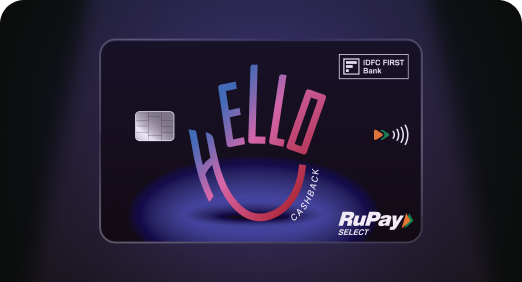

Enjoy Zero Forex on all IDFC FIRST Bank Credit Cards
Save more on all international spends
Know More
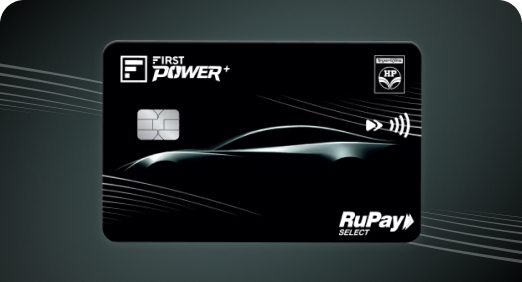
A Card that Powers your Savings & Lifestyle
IDFC FIRST Bank HPCL Credit Card









Most Searched
Earn up to 7% interest on your Savings Account
Open Account Now
Download our app
Get instant help for all your queries in one place
Unlock features, exclusively available
only on the IDFC FIRST Bank app
Trusted by 1.2+ million Indians.


4.8

4.8

Tools & Calculators
Privilege Program



Tools & Calculators

Unlock features, exclusively available
only on the IDFC FIRST Bank app
Savings Account
 You can link your Aadhaar number to your bank account via the bank’s mobile app, SMS, ATM or a branch visit within minutes.
This is not mandatory for everyone, but it is needed to receive direct government benefits.
Check your linking status through the UIDAI portal or your bank's app.
You can link your Aadhaar number to your bank account via the bank’s mobile app, SMS, ATM or a branch visit within minutes.
This is not mandatory for everyone, but it is needed to receive direct government benefits.
Check your linking status through the UIDAI portal or your bank's app.
Aadhaar and bank account linking connects your 12-digit Aadhaar number to your bank account, enabling direct benefit transfers and faster verification. You can complete it online through an app or offline via SMS, an ATM or a branch visit.
Aadhaar is a 12-digit unique identification number issued by the Unique Identification Authority of India (UIDAI), accepted as valid proof of identity and address across financial services. Aadhaar and bank account linking maps this number to your account for verification and benefit disbursal. Here is why linking matters:
Direct benefit transfer: Enables direct transfer of subsidies, pensions and scholarships.
Simplified KYC process: Simplifies KYC for new accounts, loans and cards.
Lesser paperwork: Reduces paperwork for government schemes and tax filings.
Timely benefit transfer: Direct benefit transfer of LPG subsidies, pensions and scholarships without delays
Faster KYC: Faster, paperless KYC for loans and credit cards
Strong account security: Added security, since an Aadhaar linked bank account is harder to misuse
Individuals receiving LPG subsidies, pensions or scholarships under government schemes
Beneficiaries of welfare programs such as MGNREGA or PM-KISAN
Anyone depositing or withdrawing ₹20 lakh or more in cash in a financial year, or opening a current account, where PAN or Aadhaar must be quoted
Individuals who prefer Aadhaar-based e-KYC for new accounts or loans
It is not mandatory for every individual to have an Aadhaar-linked bank account, except in the cases above.
There are four simple ways to link Aadhaar number with bank account.
Quick digital process: Complete the process in minutes through the IDFC FIRST Bank mobile banking app
Branch & call support: Get assistance at any nearest branch or through the bank's contact centre
Aadhaar pay: Use Aadhaar Pay for biometric-based payments at merchant counters without a card
Regulatory compliance: Stay compliant with PAN or Aadhaar quoting rules for high-value cash transactions or current account opening
Aadhaar and bank account linking is a quick, largely one-time step that keeps your account verified and ready for receiving government benefits. Whether you prefer linking through the app, SMS, ATM or a branch visit, the process takes only a few minutes to complete.
Aadhaar and bank account linking lets subsidies, pensions and scholarships reach your account directly, while also simplifying KYC.
Linking a mobile number for the first time needs biometric verification, so it cannot be done fully online. Book an appointment via the UIDAI website and visit an Aadhaar Seva Kendra or opt for the India Post doorstep service.
You can complete Aadhaar and bank account linking through your bank's app, net banking, SMS, ATM or a branch visit.
You may miss direct benefit transfers such as subsidies or pensions, though regular banking transactions remain unaffected.
No, it is not mandatory for every individual to link bank account with Aadhaar, it is only needed for specific purposes such as receiving government subsidies or depositing or withdrawing ₹20 lakh or more in cash in a financial year or opening a current account.
Check the UIDAI website with your Aadhaar number and OTP authentication or check your bank's app under your profile.
The process to link Aadhaar number with bank account involves choosing a method from app, SMS, ATM or branch, and completing verification, after which your Aadhaar-linked bank account status update is reflected.
The contents of this article/infographic/picture/video are meant solely for information purposes. The contents are generic in nature and for informational purposes only. It is not a substitute for specific advice in your own circumstances. The information is subject to updation, completion, revision, verification and amendment and the same may change materially. The information is not intended for distribution or use by any person in any jurisdiction where such distribution or use would be contrary to law or regulation or would subject IDFC FIRST Bank or its affiliates to any licensing or registration requirements. IDFC FIRST Bank shall not be responsible for any direct/indirect loss or liability incurred by the reader for taking any financial decisions based on the contents and information mentioned. Please consult your financial advisor before making any financial decision.
The features, benefits and offers mentioned in the article are applicable as on the day of publication of this blog and is subject to change without notice. The contents herein are also subject to other product specific terms and conditions and any third party terms and conditions, as applicable. Please refer our website www.idfcfirst.bank.in for latest updates.


You will earn