Login to Internet banking
A brand-new experience - smarter, faster, and secured






You gain a dedicated partner committed to helping you reach your full potential and achieve new heights
Know More

BRAVO (Auto Sweep)
Convert the idle funds in your current account into a fixed deposit with the BRAVO feature.
Know More
Zero Forex Markup Current Account
Maximise your savings and boost profitability with our Zero Forex Markup current accounts
Know More






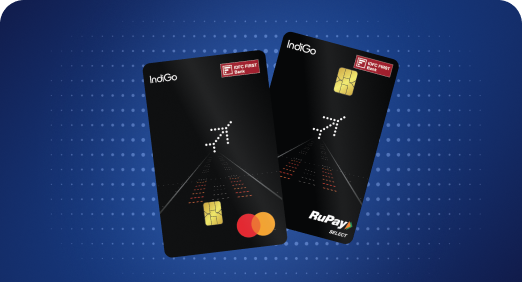


A Card that Powers your Savings & Lifestyle
IDFC FIRST Bank HPCL Credit Card









Most Searched
Earn up to 7% interest on your Savings Account
Open Account Now
Download our app
Get instant help for all your queries in one place
Unlock features, exclusively available
only on the IDFC FIRST Bank app
Trusted by 1.2+ million Indians.


4.8

4.8

Tools & Calculators
Privilege Program



Tools & Calculators

Unlock features, exclusively available
only on the IDFC FIRST Bank app

You can block you credit card through the below mentioned channels:
Mobile / Internet Banking:
Website:
Altenatively you can SMS CCBLOCK (last 4 digit of card) to 5676732 or reach out to us on the 1800 10 888 to block your card.
IDFC FIRST Bank offers the facility of blocking and unblocking your credit card from its mobile app or website. You can instantly block your card by following the steps below:
Mobile Banking / Internet Banking
Note: Card replacement will incur a charge as per T&C
Customer Portal
Click here to instantly block your credit card
For further assistance, please reach us on 1800 18 100.

Should you take a personal loan if you already have existing EMIs? How to calculate your affordability
Updated on 22 Jun 2026 | 5 mins read
Personal loan for self-employed: How your GST number gets you funded faster
Updated on 22 Jun 2026 | 5 mins read
How to get the lowest personal loan interest rates for urgent approval within 24-48 hours in India
Updated on 22 Jun 2026 | 5 mins read
Looking to plan a holiday for your parents? A personal loan can make it easier
Updated on 18 Jun 2026 | 5 mins read
First time taking a personal loan in India? Here’s a simple step-by-step guide
Updated on 17 Jun 2026 | 5 mins read
CIBIL score for personal loan: What can an excellent score do for you?
Updated on 16 Jun 2026 | 5 mins read