














Login to Internet banking
A brand-new experience - smarter, faster, and secured


Introducing the First-in-industry IDFC FIRST Bank's Super Account
Request a Callback
You gain a dedicated partner committed to helping you reach your full potential and achieve new heights
Know More
BRAVO (Auto Sweep)
Convert the idle funds in your current account into a fixed deposit with the BRAVO feature.
Know More
Zero Forex Markup Current Account
Maximise your savings and boost profitability with our Zero Forex Markup current accounts
Know More
Make more than one online payment in just a few clicks with IDFC FIRST Bank Bulk Payments
Know More





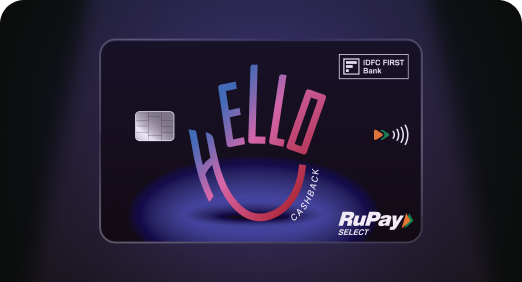
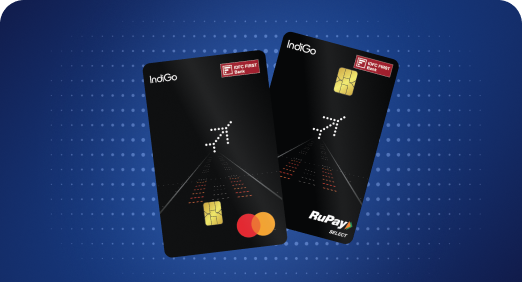

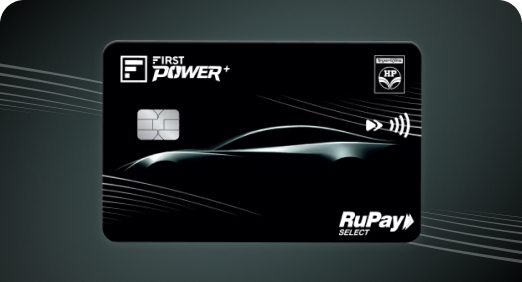
A Card that Powers your Savings & Lifestyle
IDFC FIRST Bank HPCL Credit Card






Most Searched

Earn up to 6.50% interest on your Savings Account
Open Account Now
Download our app
Get instant help for all your queries in one place
Unlock features, exclusively available
only on the IDFC FIRST Bank app
Trusted by 1.2+ million Indians.

4.8

4.8

Tools & Calculators
Privilege Program



Tools & Calculators

Unlock features, exclusively available
only on the IDFC FIRST Bank app
Savings Account
 A registered mobile number is important for OTP verification, transaction alerts and secure digital banking access
Banks allow mobile number updates through net banking, mobile banking, ATMs or a branch visit
Identity proof is usually needed for branch requests, while digital channels rely mainly on OTP verification
A registered mobile number is important for OTP verification, transaction alerts and secure digital banking access
Banks allow mobile number updates through net banking, mobile banking, ATMs or a branch visit
Identity proof is usually needed for branch requests, while digital channels rely mainly on OTP verification
Your registered mobile number is the bridge between you and your bank. It receives OTPs, transaction alerts and login credentials, making it one of the most important details on file.
If you have changed your number or opened an account without registering one, an update becomes necessary. This guide covers how to link mobile number to bank account, why you should link it, the documents needed and channels involved.
There are several reasons to link mobile number to your account without delay.
OTP-based authentication: Online transactions and card payments need an OTP sent to your number for security reasons.
Real-time alerts: Instant messages for debits and credits help you spot unauthorised activity.
Access to digital banking: Net banking and mobile banking logins are usually tied to the number on file.
Uninterrupted communication: Banks share statements and updates via SMS.
A branch visit is the only channel that requires documents. Net banking, mobile banking and ATM updates run entirely on OTP verification and need no paperwork. Here's the list of documents if you decide to update your number by visiting a branch:
Identity proof (anyone): Aadhaar, PAN card, passport or voter ID
Account details: Account number, customer ID or debit card number
Service request form: The bank's mobile number change or KYC update form
Signature: Matching the specimen signature on the bank's records
Banks offer several channels for those searching how to link mobile number to bank account, so you can choose whichever is most convenient.
At the branch, the mobile number update can also be done through the TAB, and the Relationship Manager (RM) can assist you with the process.
Multiple channels: Customers can link their mobile number through mobile banking, net banking, ATM, or a service request, without needing to visit a branch in most cases.
WhatsApp banking support: Customers can contact IDFC FIRST Bank’s WhatsApp Banking for guidance on the update process.
Debit card verification: The mobile banking app verifies debit card details before OTP authentication adding extra layer of security.
Service request tracking: Customers can view and track all past and active service requests, including mobile number updates, from one place.
Your registered mobile number is one of the most important details tied to your bank account. Whether you choose net banking, mobile banking, an ATM or a branch visit, knowing how to link mobile number to bank account makes sure you keep receiving OTPs and alerts without interruption. Keeping this number current, especially after a SIM change, helps you stay secure and in control of your banking.
Family money management becomes simpler when income, expenses, and savings sit in a single, clearly tracked account. A savings account for family lets every member see where the money goes, which reduces confusion around bills and spending.
Look for a joint account option, real-time transaction alerts, and easy fund transfers. A savings account for family with these features supports better family money management by keeping everyone informed without extra effort.
The IDFC FIRST Bank Savings Account can be opened jointly with a family member, and it offers expense tracking across 20+ transaction types, autopay for bills, and a nomination facility, along with monthly interest credit on your balance.
The contents of this article/infographic/picture/video are meant solely for information purposes. The contents are generic in nature and for informational purposes only. It is not a substitute for specific advice in your own circumstances. The information is subject to updation, completion, revision, verification and amendment and the same may change materially. The information is not intended for distribution or use by any person in any jurisdiction where such distribution or use would be contrary to law or regulation or would subject IDFC FIRST Bank or its affiliates to any licensing or registration requirements. IDFC FIRST Bank shall not be responsible for any direct/indirect loss or liability incurred by the reader for taking any financial decisions based on the contents and information mentioned. Please consult your financial advisor before making any financial decision.
The features, benefits and offers mentioned in the article are applicable as on the day of publication of this blog and is subject to change without notice. The contents herein are also subject to other product specific terms and conditions and any third party terms and conditions, as applicable. Please refer our website www.idfcfirst.bank.in for latest updates.


You will earn